> ## Documentation Index
> Fetch the complete documentation index at: https://docs.commerce.thecanbrand.com/llms.txt
> Use this file to discover all available pages before exploring further.
# Delivery
## Delivery Section
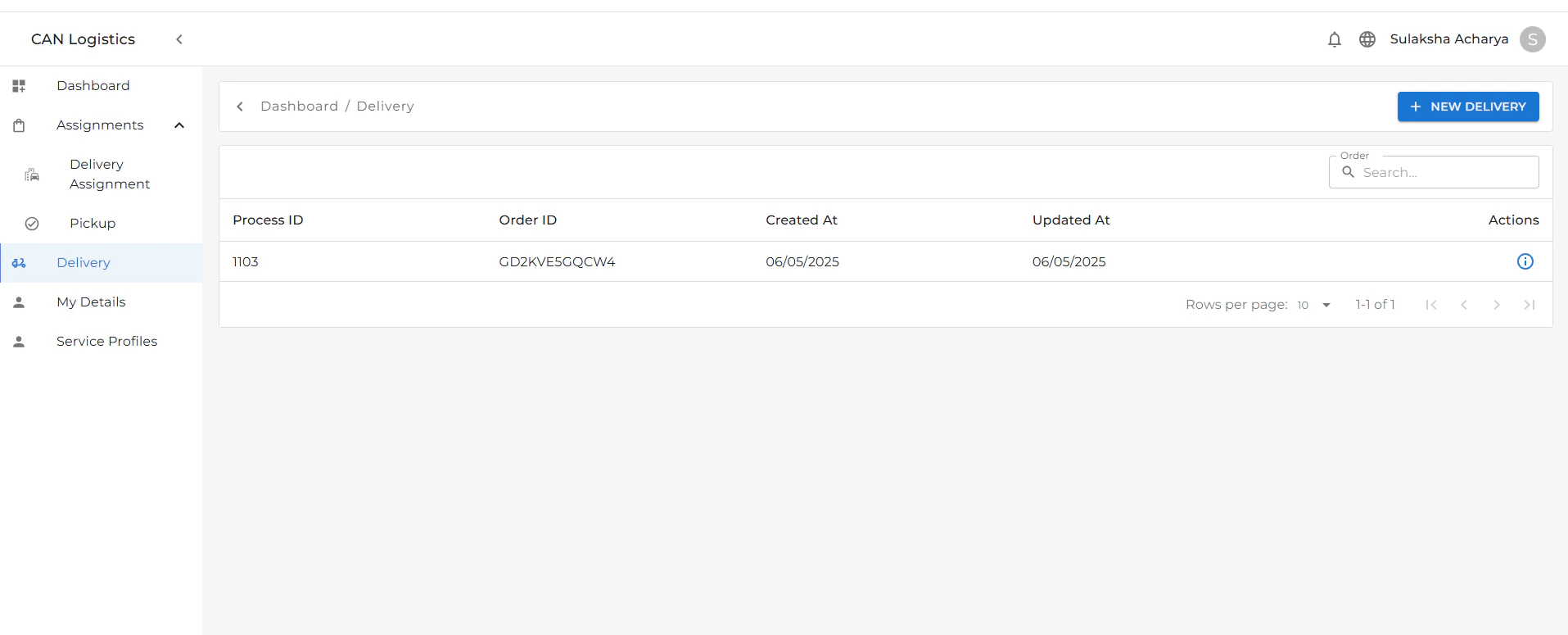
The **Delivery** section is used to verify and confirm successful order delivery to the correct customer.
 ### Key Features:
* **Customer Verification**:
* Customers must provide an **OTP security code** and **ID proof** to validate the delivery.
* This ensures the right customer receives the correct order.
* **Delivery Details**:
* Displays all relevant delivery information.
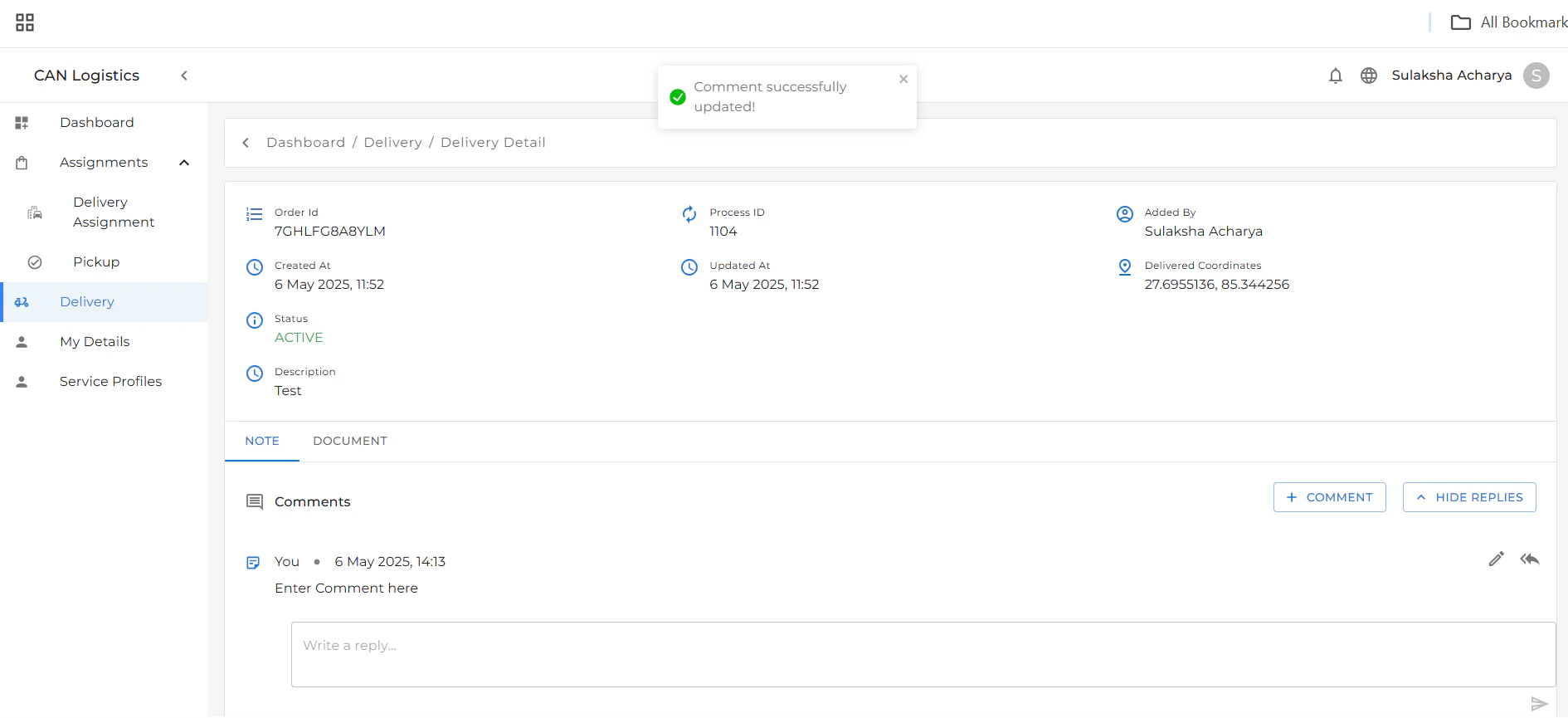
* You can **write notes** related to the delivery.
* You can also **reply to existing notes** to maintain communication and clarity.
* **Document Tab**:
* A separate tab labeled **Document** is available.
* This tab contains any related documents uploaded for the delivery, such as ID scans or signed proofs.
### Key Features:
* **Customer Verification**:
* Customers must provide an **OTP security code** and **ID proof** to validate the delivery.
* This ensures the right customer receives the correct order.
* **Delivery Details**:
* Displays all relevant delivery information.
* You can **write notes** related to the delivery.
* You can also **reply to existing notes** to maintain communication and clarity.
* **Document Tab**:
* A separate tab labeled **Document** is available.
* This tab contains any related documents uploaded for the delivery, such as ID scans or signed proofs.
 ### Example Workflow
1. Delivery officer initiates verification.
2. Customer provides OTP and ID.
3. Officer confirms identity and completes delivery.
4. Notes can be added or replied to in the Delivery Details tab.
5. Related documents can be reviewed or uploaded in the Document tab.
### Example Workflow
1. Delivery officer initiates verification.
2. Customer provides OTP and ID.
3. Officer confirms identity and completes delivery.
4. Notes can be added or replied to in the Delivery Details tab.
5. Related documents can be reviewed or uploaded in the Document tab.