> ## Documentation Index
> Fetch the complete documentation index at: https://docs.commerce.thecanbrand.com/llms.txt
> Use this file to discover all available pages before exploring further.
# Marketplace
The **Marketplace** displays all the products available for purchase in one place. It provides users with the ability to browse, search, and sort products based on their preferences.
## Features
### Search Bar (Top Section)
A search bar is placed at the top of the page, allowing users to search for specific products by name or keyword.
 ### Product Listings
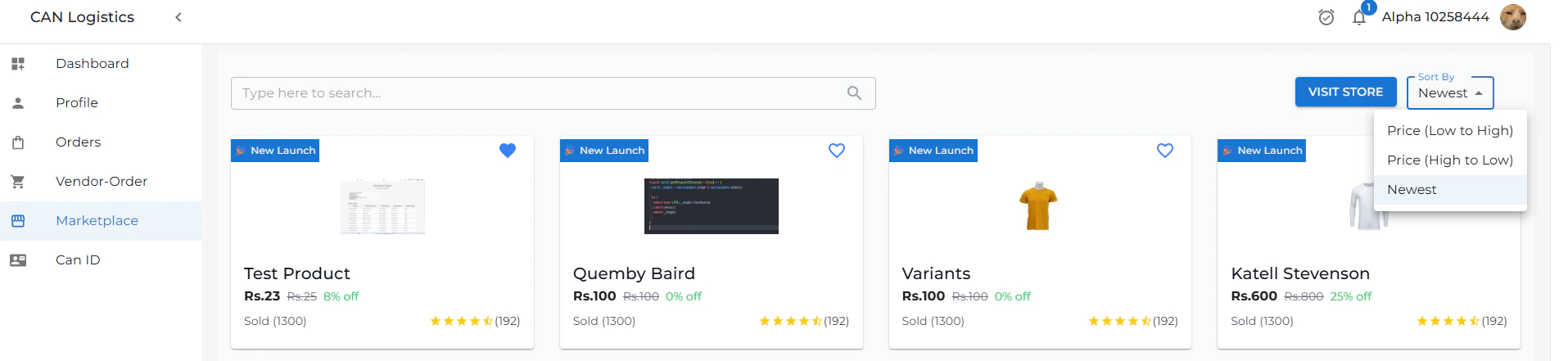
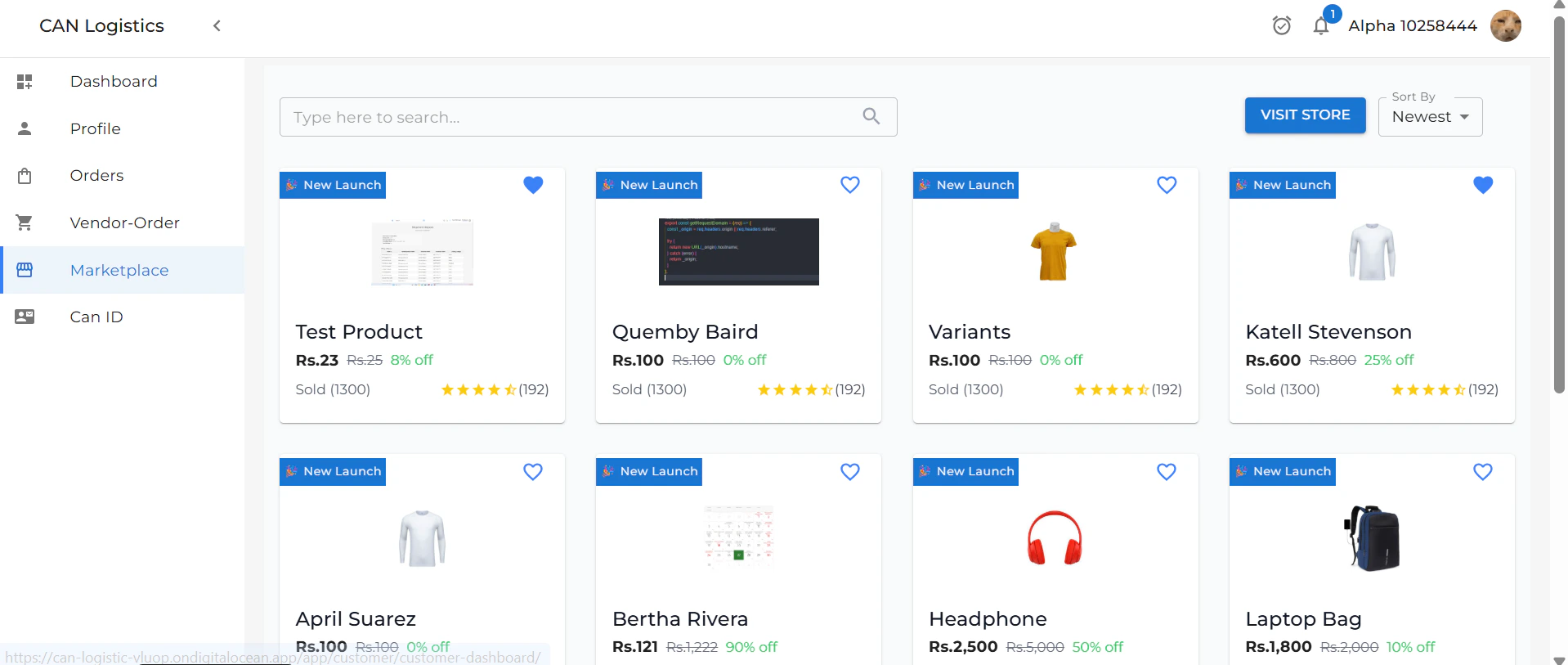
All available products are displayed in a grid or list format, showcasing essential details such as product name, image, price, and availability.
### Product Listings
All available products are displayed in a grid or list format, showcasing essential details such as product name, image, price, and availability.
 ### Sort By
Users can sort the product listings using various criteria (e.g., price, popularity, newest first) to find items that best match their needs.
# Product Detail
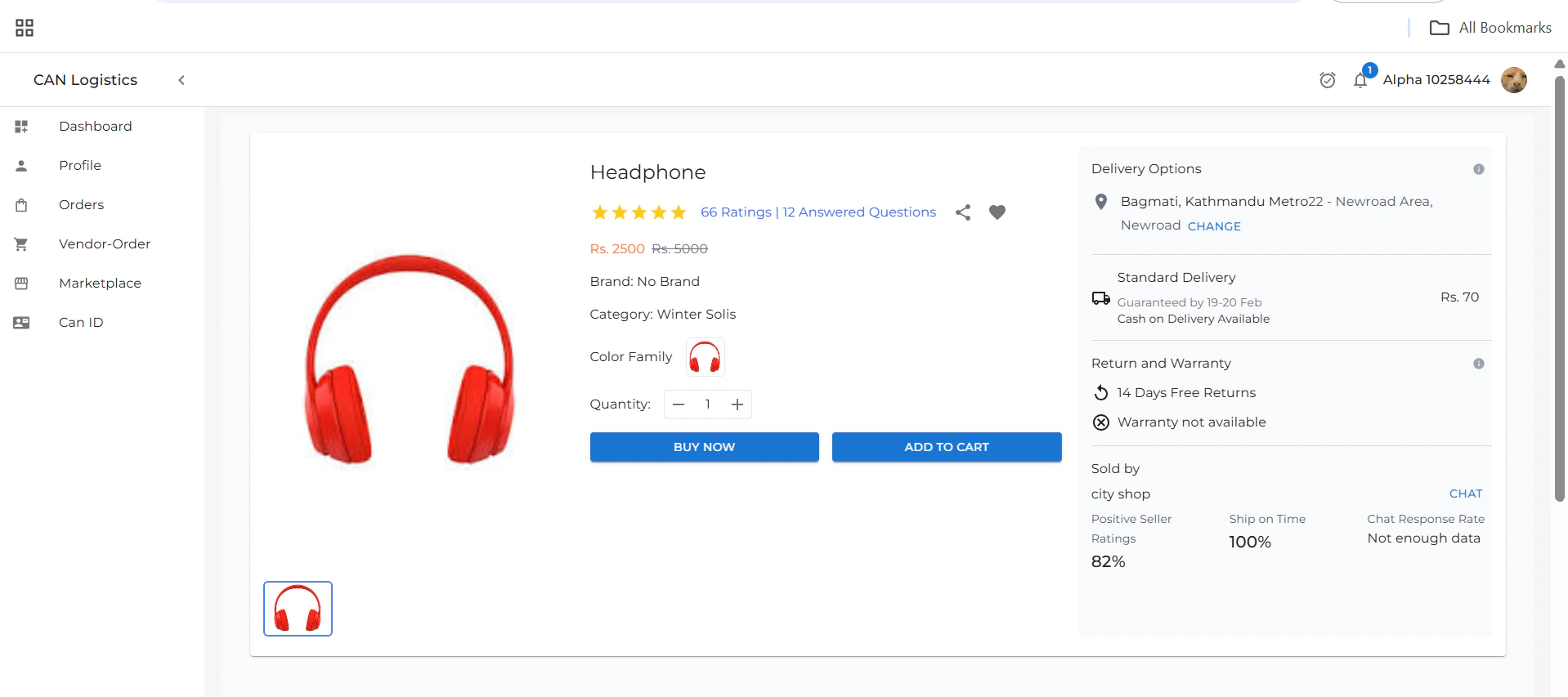
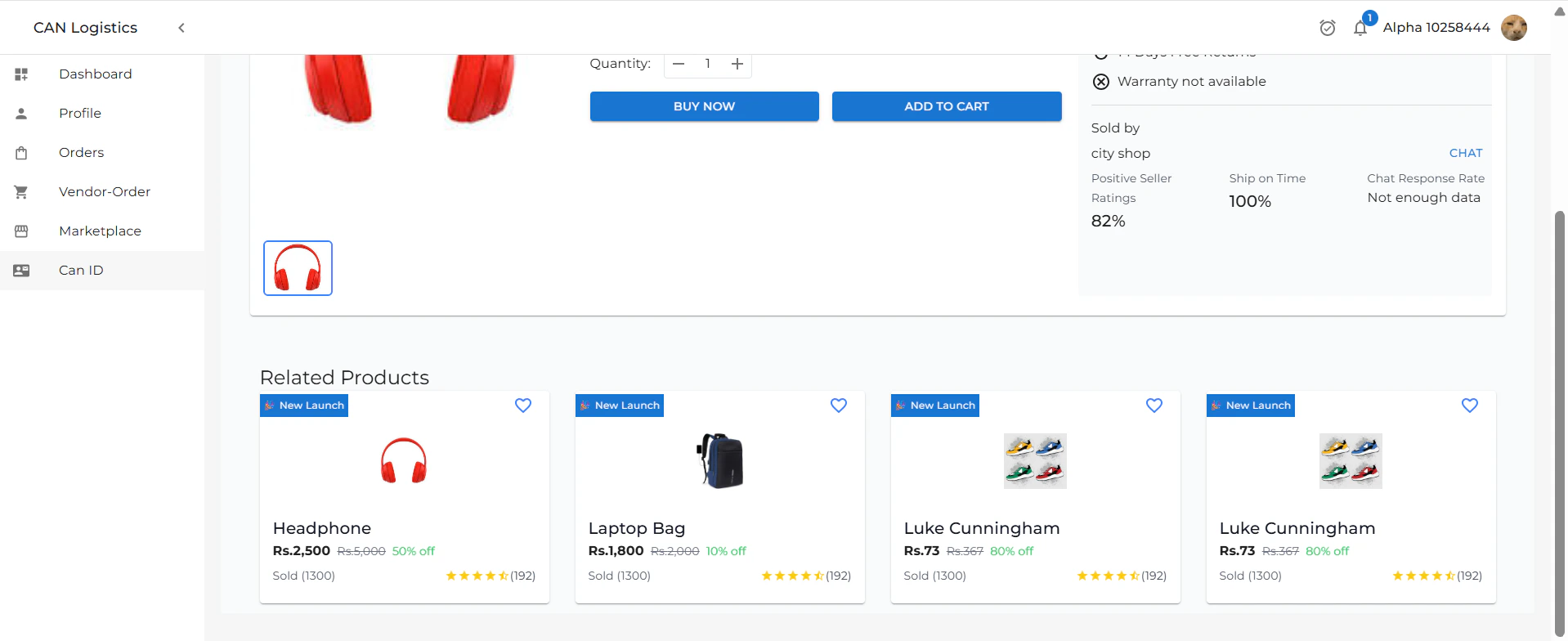
The **Product Detail** page provides comprehensive information about a specific product and allows users to proceed with a purchase.
## Product Information
This section displays all the key details about the selected product, including:
* Product name
* Description
* Price
* Availability
* Images
## Quantity Selector
Users can choose the **quantity** of the product they wish to purchase based on their requirement.
## Purchase Options
There are two main actions available:
* **Buy Now** – Instantly proceed to checkout and place the order.
* **Add to Cart** – Add the item to your shopping cart for later purchase.
## Delivery Options
Users can view and select available **delivery options** such as:
* Standard Delivery
* Express Delivery
* Estimated delivery date
## Additional Product Details
Additional information may include:
* Product specifications
* Warranty
* Return policy
* Customer reviews and ratings
### Sort By
Users can sort the product listings using various criteria (e.g., price, popularity, newest first) to find items that best match their needs.
# Product Detail
The **Product Detail** page provides comprehensive information about a specific product and allows users to proceed with a purchase.
## Product Information
This section displays all the key details about the selected product, including:
* Product name
* Description
* Price
* Availability
* Images
## Quantity Selector
Users can choose the **quantity** of the product they wish to purchase based on their requirement.
## Purchase Options
There are two main actions available:
* **Buy Now** – Instantly proceed to checkout and place the order.
* **Add to Cart** – Add the item to your shopping cart for later purchase.
## Delivery Options
Users can view and select available **delivery options** such as:
* Standard Delivery
* Express Delivery
* Estimated delivery date
## Additional Product Details
Additional information may include:
* Product specifications
* Warranty
* Return policy
* Customer reviews and ratings
 ## Related Products
Below the product details, a **Related Products** section showcases similar or complementary items. This helps users explore alternatives and discover more products that match their interests.
These may be based on:
* Product category
* User browsing history
* Frequently bought together
## Related Products
Below the product details, a **Related Products** section showcases similar or complementary items. This helps users explore alternatives and discover more products that match their interests.
These may be based on:
* Product category
* User browsing history
* Frequently bought together
 ### Add to Cart
* When you click **Add to Cart**, the product is **successfully added to your cart**.
* You can review all items in your cart later.
* This allows you to **purchase multiple items at once** or **complete your purchase whenever you're ready**, based on your preferences.
## Buy Now Flow
Clicking **Buy Now** takes the user to the **Checkout Page**, which includes:
* A summary of all selected products
* **Shipping details** form
* **Order details** and total pricing
* An optional field to enter a **discount code**
### Add to Cart
* When you click **Add to Cart**, the product is **successfully added to your cart**.
* You can review all items in your cart later.
* This allows you to **purchase multiple items at once** or **complete your purchase whenever you're ready**, based on your preferences.
## Buy Now Flow
Clicking **Buy Now** takes the user to the **Checkout Page**, which includes:
* A summary of all selected products
* **Shipping details** form
* **Order details** and total pricing
* An optional field to enter a **discount code**
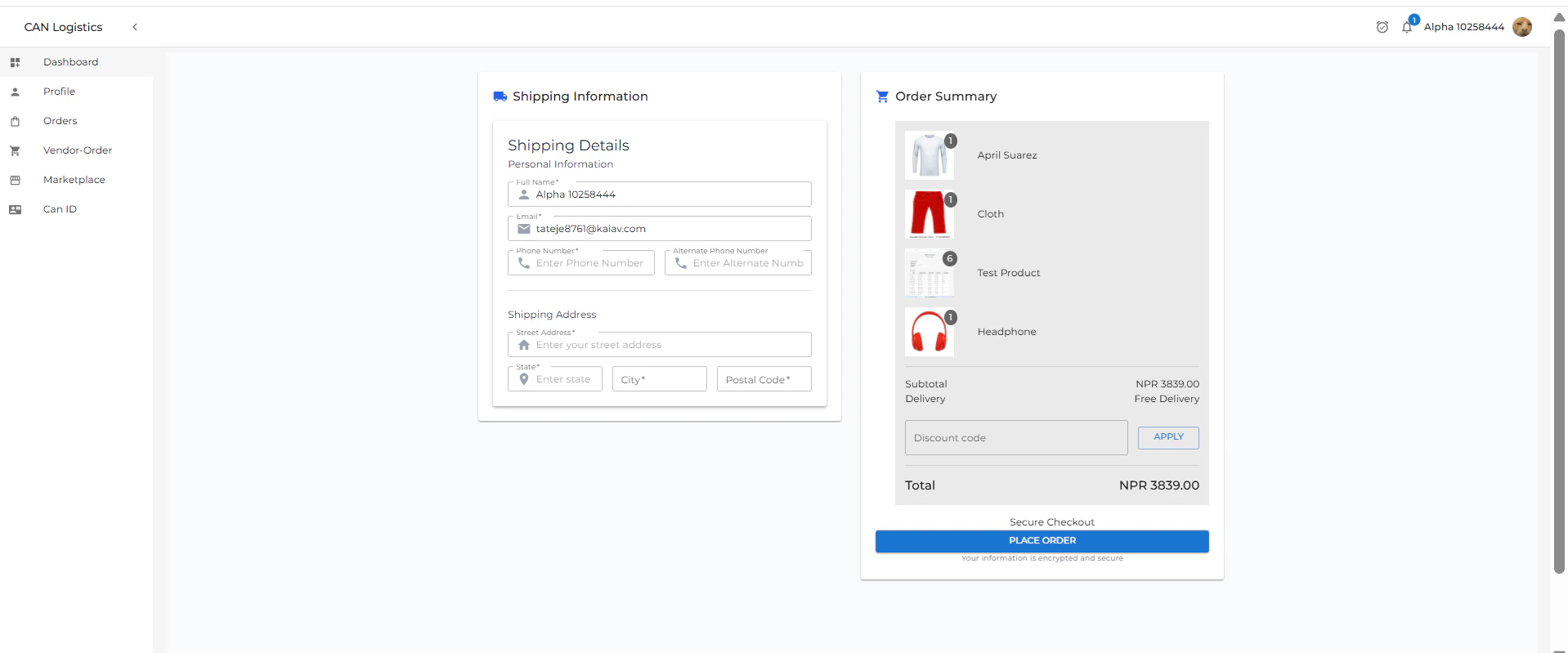 Once all details are confirmed:
* The user can **place the order**
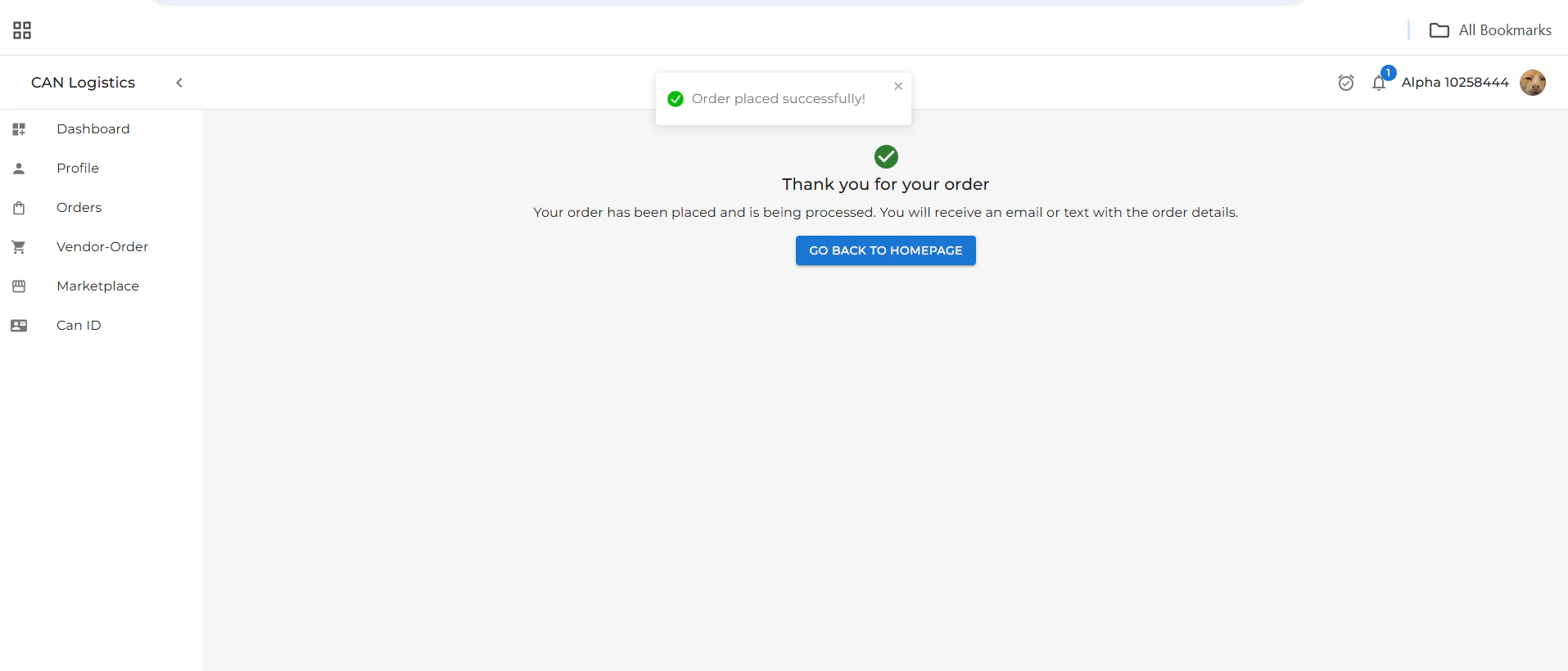
* A confirmation message is shown:\
*Your order has been placed successfully!*
***
Once all details are confirmed:
* The user can **place the order**
* A confirmation message is shown:\
*Your order has been placed successfully!*
***