> ## Documentation Index
> Fetch the complete documentation index at: https://docs.commerce.thecanbrand.com/llms.txt
> Use this file to discover all available pages before exploring further.
# Vendor Order
A **Vendor Order** is an order created by a vendor.
***
## List View
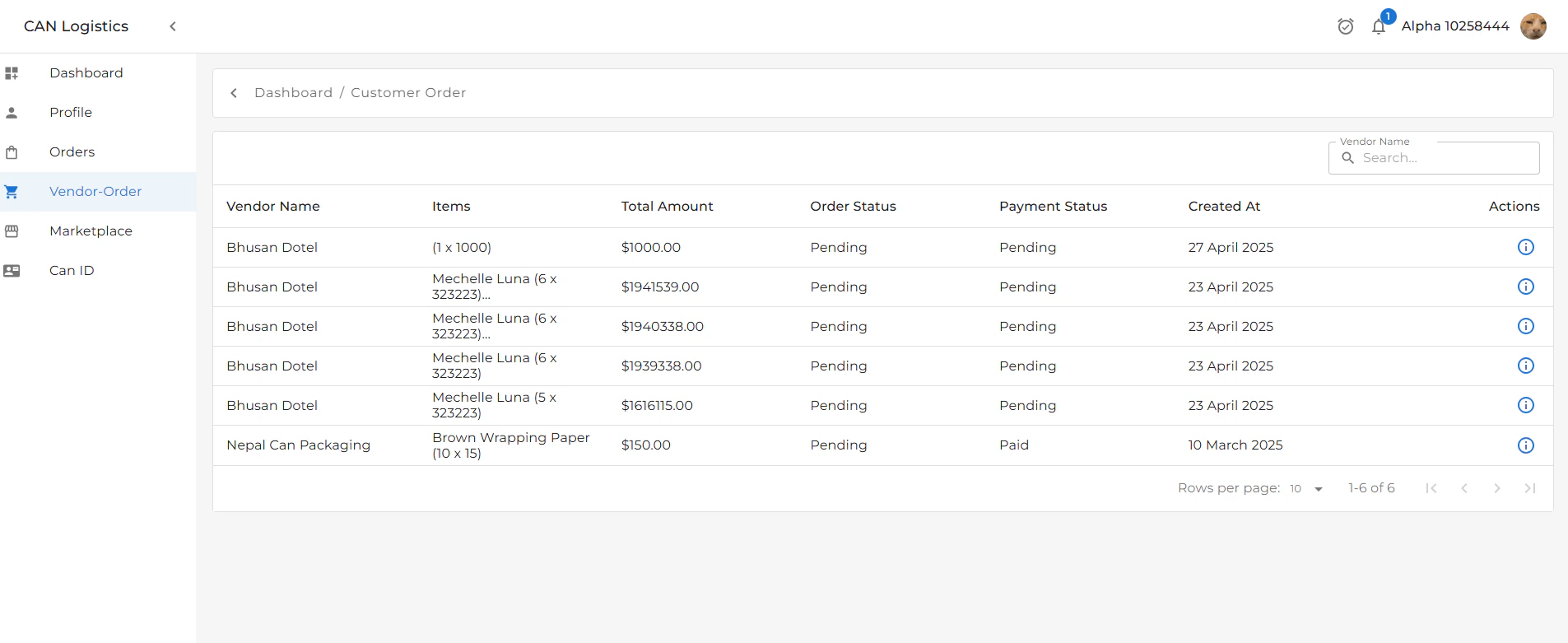
The list view displays key information about each vendor order:
* **Vendor's Name**
* **Order Status**
* **Total Amount**
* **Payment Status**
* **Date Created**
This view gives a quick overview of all vendor-generated orders.
***
 ## Detail View
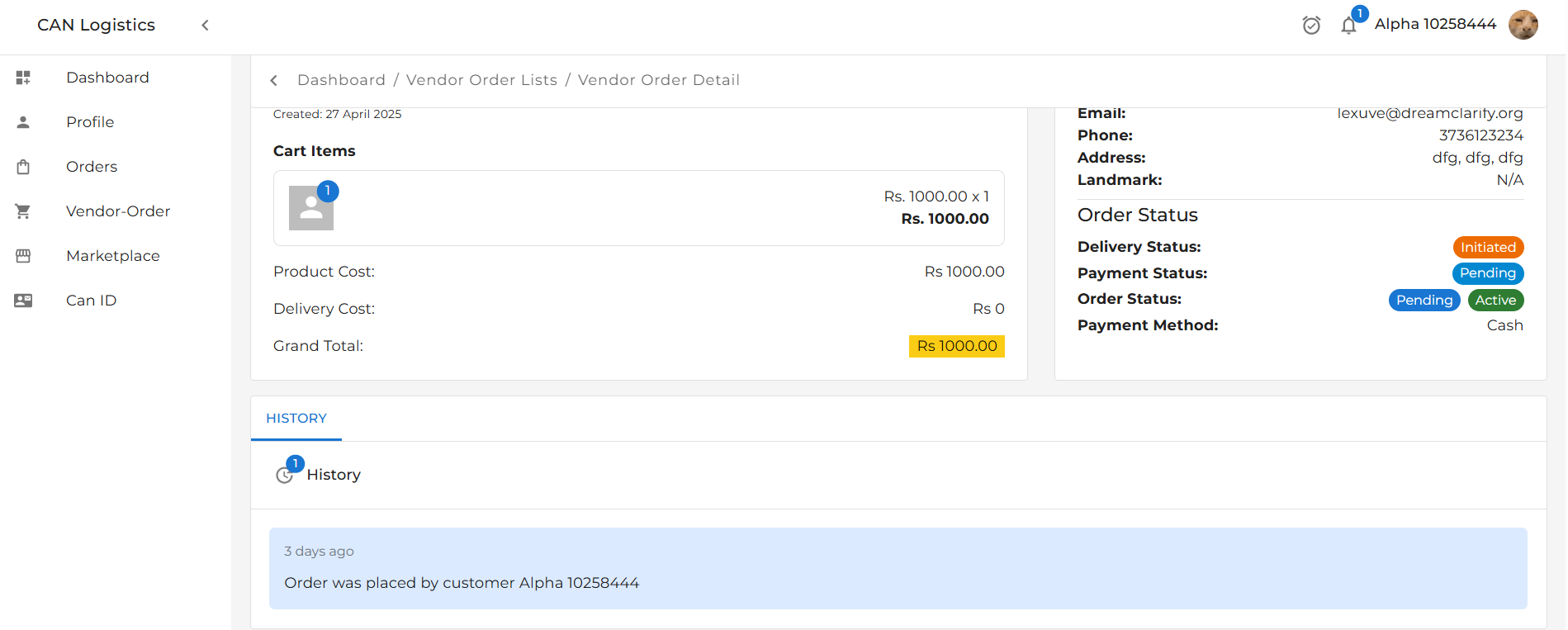
The detail view provides an in-depth look at a selected vendor order. It includes:
### 1. Vendor Details Summary
* Vendor name
* Contact information
* Company details
### 2. Order Details Summary
* Products/services ordered
* Quantity, pricing, and subtotal
* Delivery and payment info
### 3. Customer Details
* Customer name
* Contact information
* Shipping address
***
## Detail View
The detail view provides an in-depth look at a selected vendor order. It includes:
### 1. Vendor Details Summary
* Vendor name
* Contact information
* Company details
### 2. Order Details Summary
* Products/services ordered
* Quantity, pricing, and subtotal
* Delivery and payment info
### 3. Customer Details
* Customer name
* Contact information
* Shipping address
***
 ## Order History
A **History Section** logs all updates related to the order, including:
* **Delivery Status Changes**
* e.g., Shipped → Out for Delivery → Delivered
* **Payment Status Updates**
* e.g., Pending → Paid → Refunded
This section helps in tracking all modifications and order lifecycle events.
## Order History
A **History Section** logs all updates related to the order, including:
* **Delivery Status Changes**
* e.g., Shipped → Out for Delivery → Delivered
* **Payment Status Updates**
* e.g., Pending → Paid → Refunded
This section helps in tracking all modifications and order lifecycle events.