> ## Documentation Index
> Fetch the complete documentation index at: https://docs.commerce.thecanbrand.com/llms.txt
> Use this file to discover all available pages before exploring further.
# Customer
## Customer Profile List
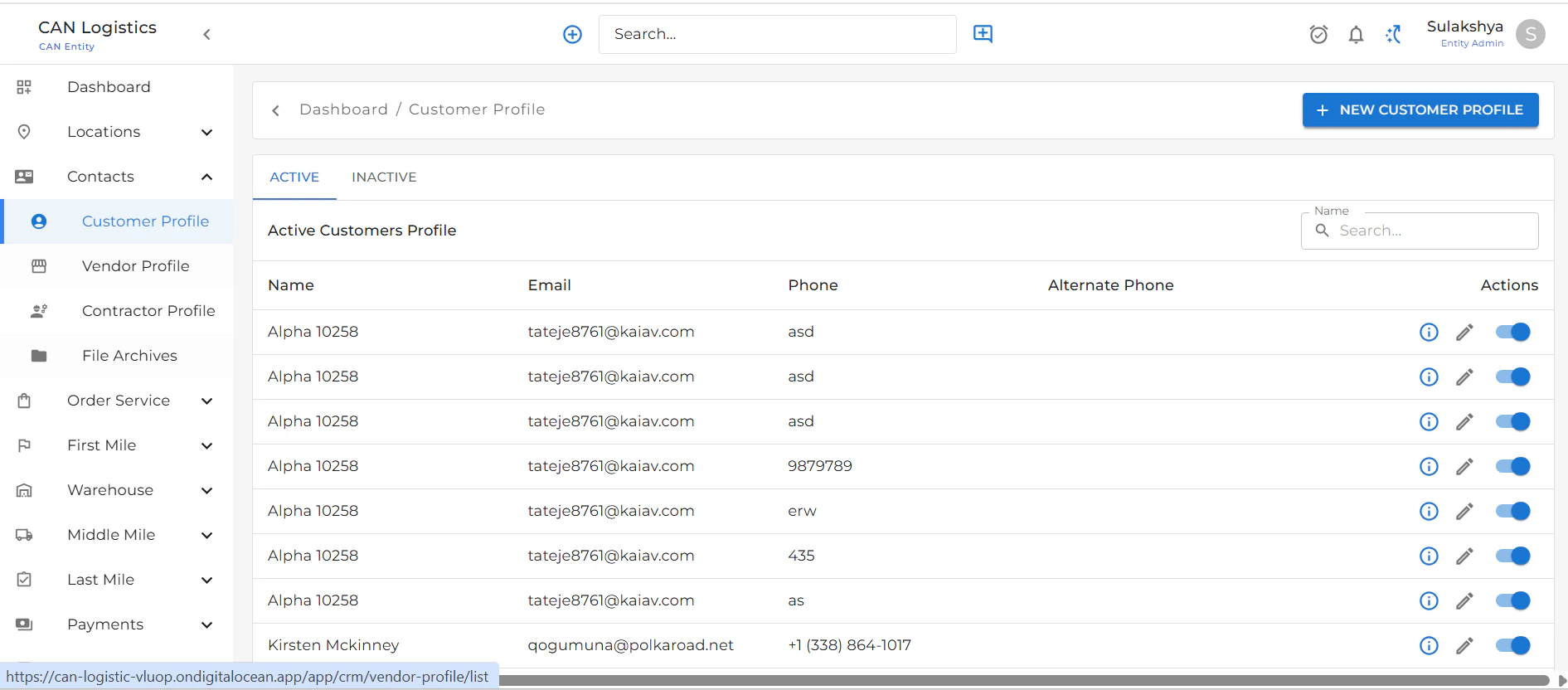
* Displays a list of all customer profiles.
* Use the **Create New Profile** button at the top-right to add a new customer.
* Each row includes an **Edit** button to update customer details.
***
 ## Create New Customer Profile
To create a new customer profile:
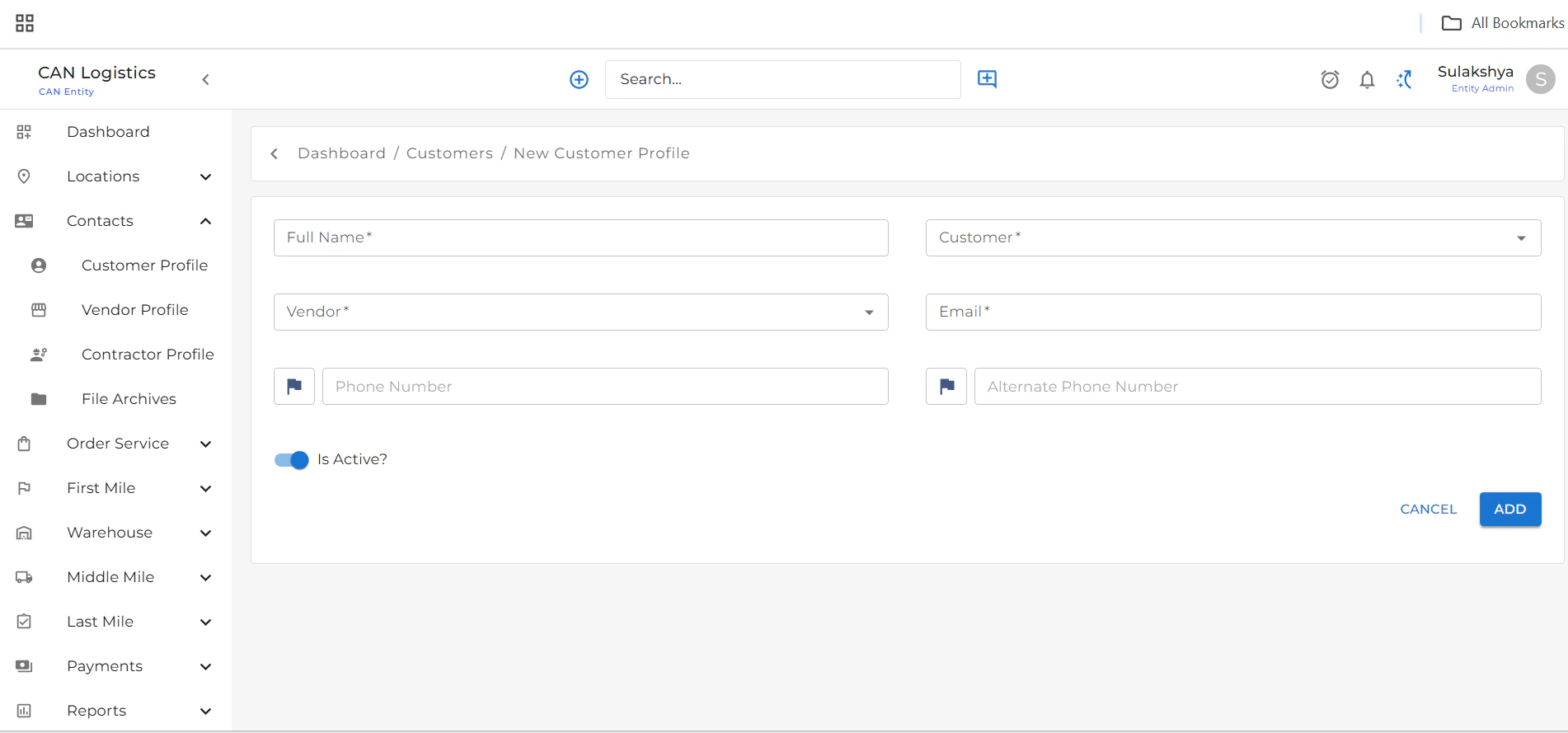
1. Click the **Create New** button from the top-right corner of the list screen.
2. Fill in the basic details:
* **Name**
* **Email**
* **Phone Number**
* **Vendor**
* Other necessary fields
3. Click **Save** to create the profile.
***
## Create New Customer Profile
To create a new customer profile:
1. Click the **Create New** button from the top-right corner of the list screen.
2. Fill in the basic details:
* **Name**
* **Email**
* **Phone Number**
* **Vendor**
* Other necessary fields
3. Click **Save** to create the profile.
***
 ## Edit Customer Profile
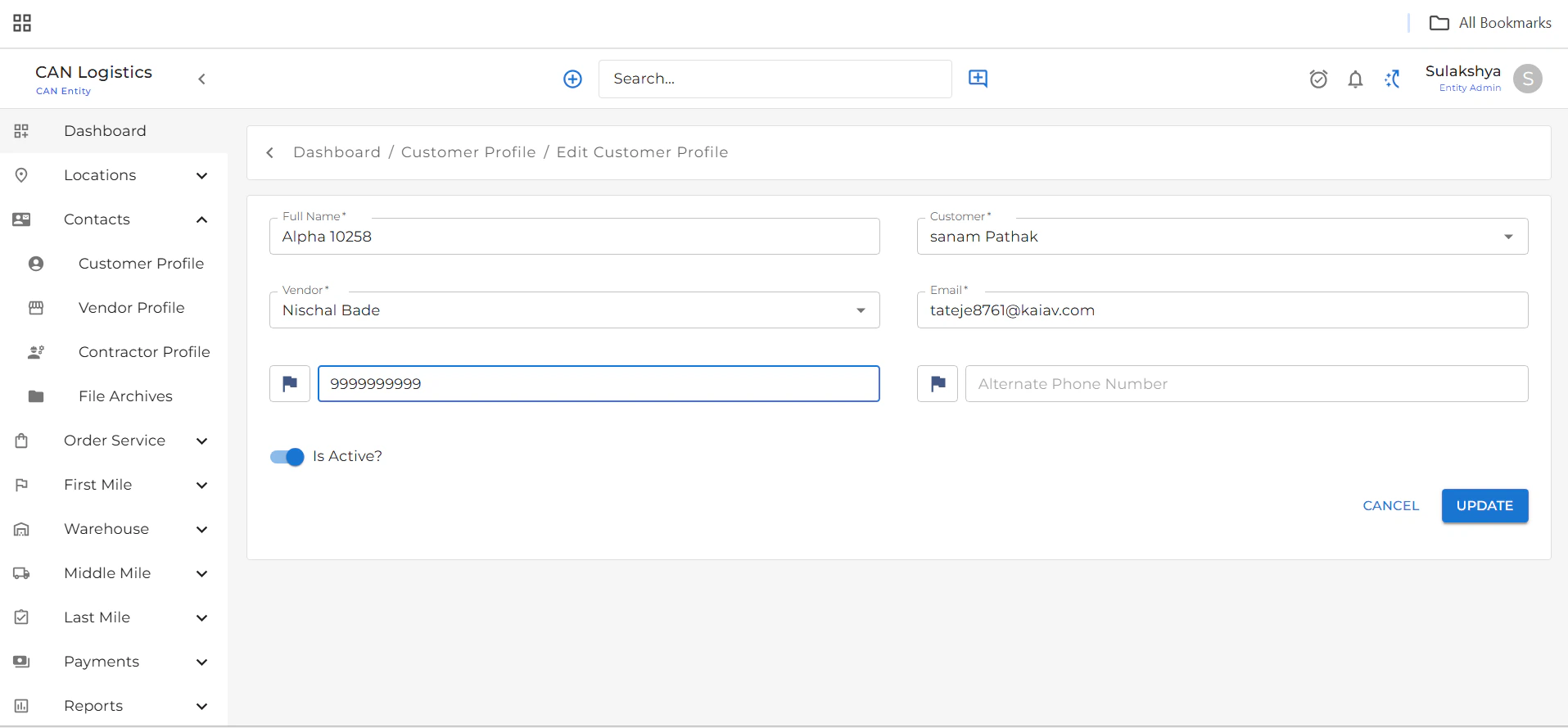
* From the list view, click the **Edit** button next to any customer.
* Update the required fields.
* Click **Update** to save changes.
***
## Edit Customer Profile
* From the list view, click the **Edit** button next to any customer.
* Update the required fields.
* Click **Update** to save changes.
***
 ## Customer Detail Screen
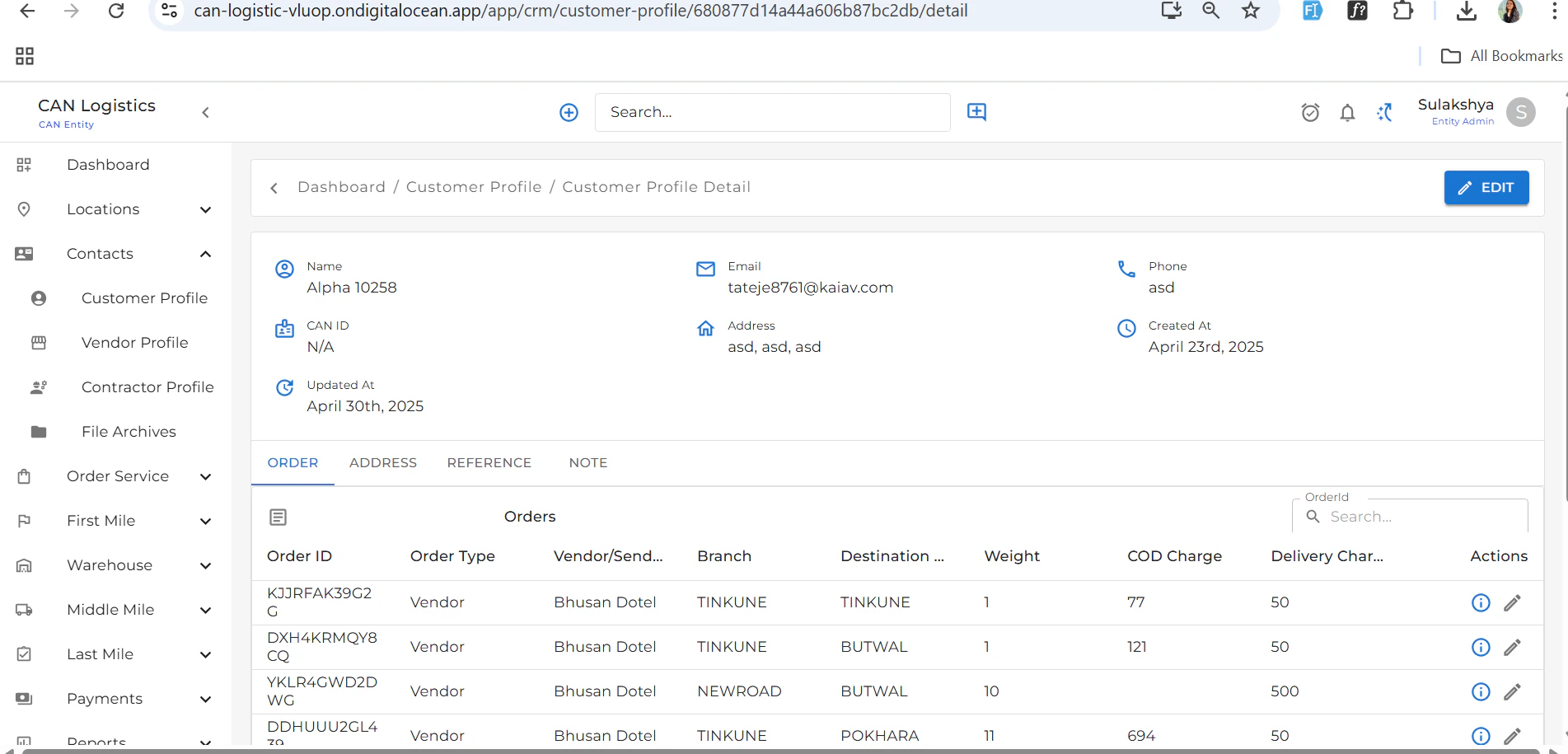
Displays all the information related to a selected customer.
Below the main customer details, you'll find several tabs:
## Customer Detail Screen
Displays all the information related to a selected customer.
Below the main customer details, you'll find several tabs:
 ### Orders
* Lists all orders related to the customer.
* Orders can also be edited from this tab.
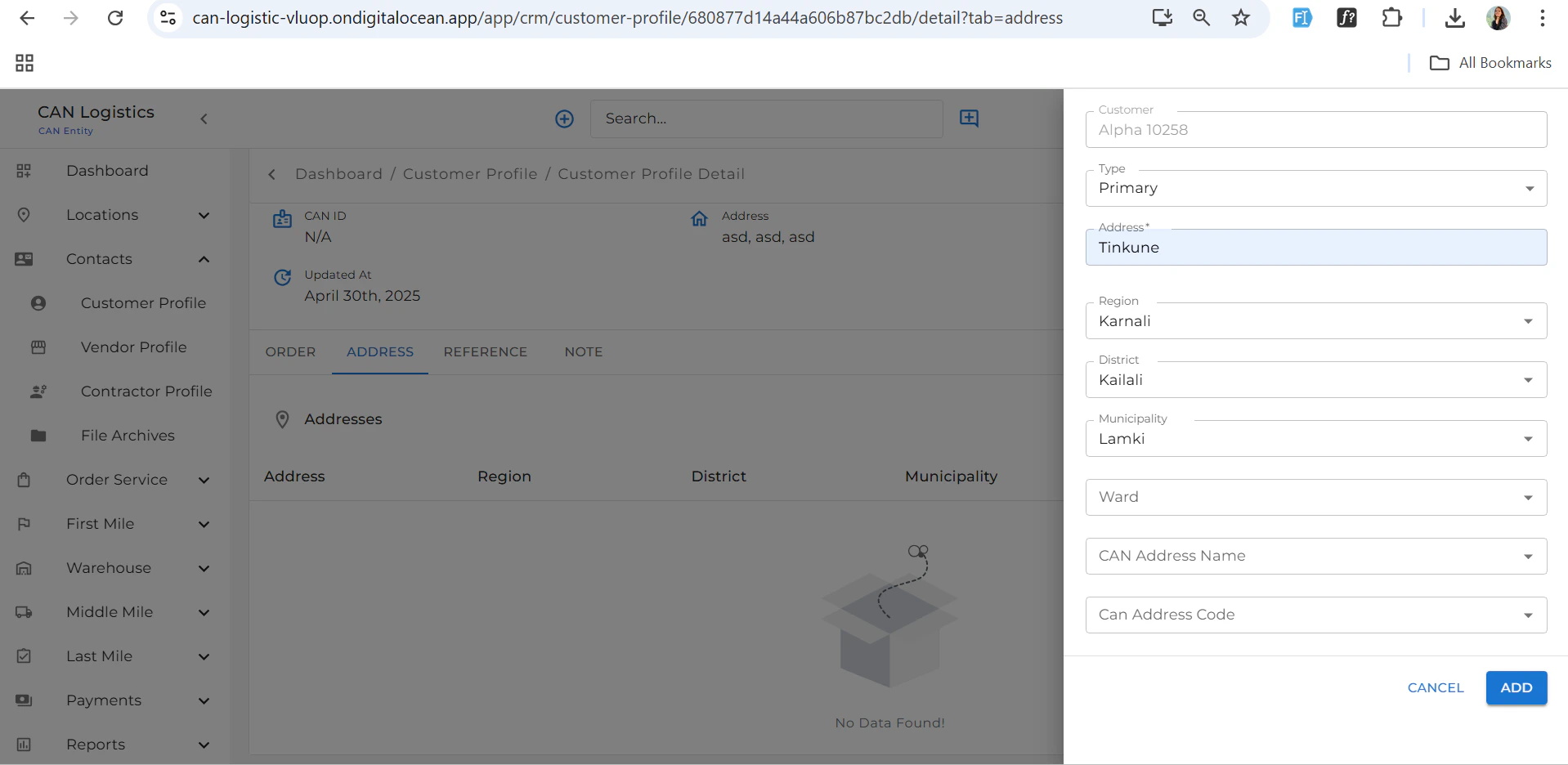
### Address
* Add or edit the customer's addresses.
### Orders
* Lists all orders related to the customer.
* Orders can also be edited from this tab.
### Address
* Add or edit the customer's addresses.
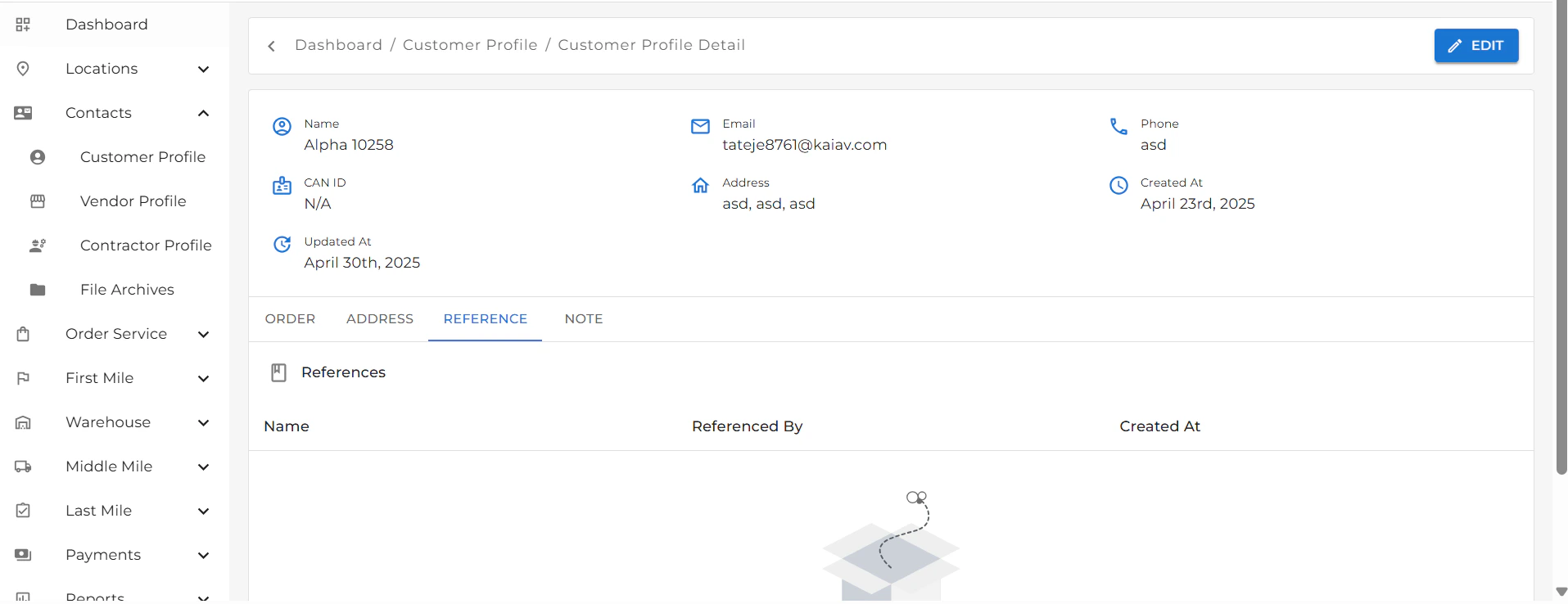
 ### References
* View or manage references linked to the customer.
### References
* View or manage references linked to the customer.
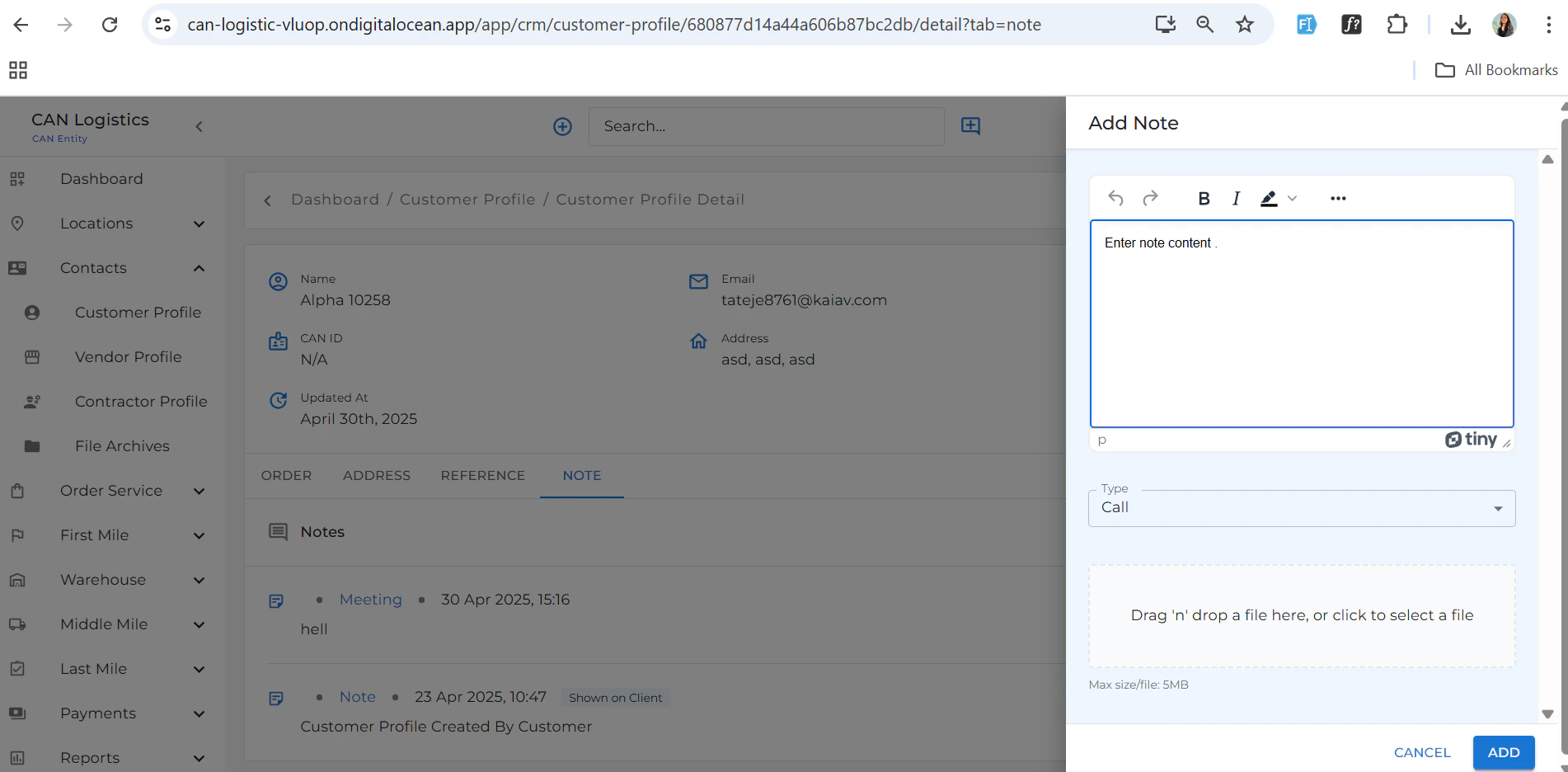
 ### Notes
* Add any relevant notes for internal use or record-keeping.
***
### Notes
* Add any relevant notes for internal use or record-keeping.
***
 ## Summary
This module centralizes customer data and related operations, making it easy to manage customer relationships efficiently.
## Summary
This module centralizes customer data and related operations, making it easy to manage customer relationships efficiently.