> ## Documentation Index
> Fetch the complete documentation index at: https://docs.commerce.thecanbrand.com/llms.txt
> Use this file to discover all available pages before exploring further.
# Order Services
> Manage and interact with all aspects of order workflows.
# Order Services
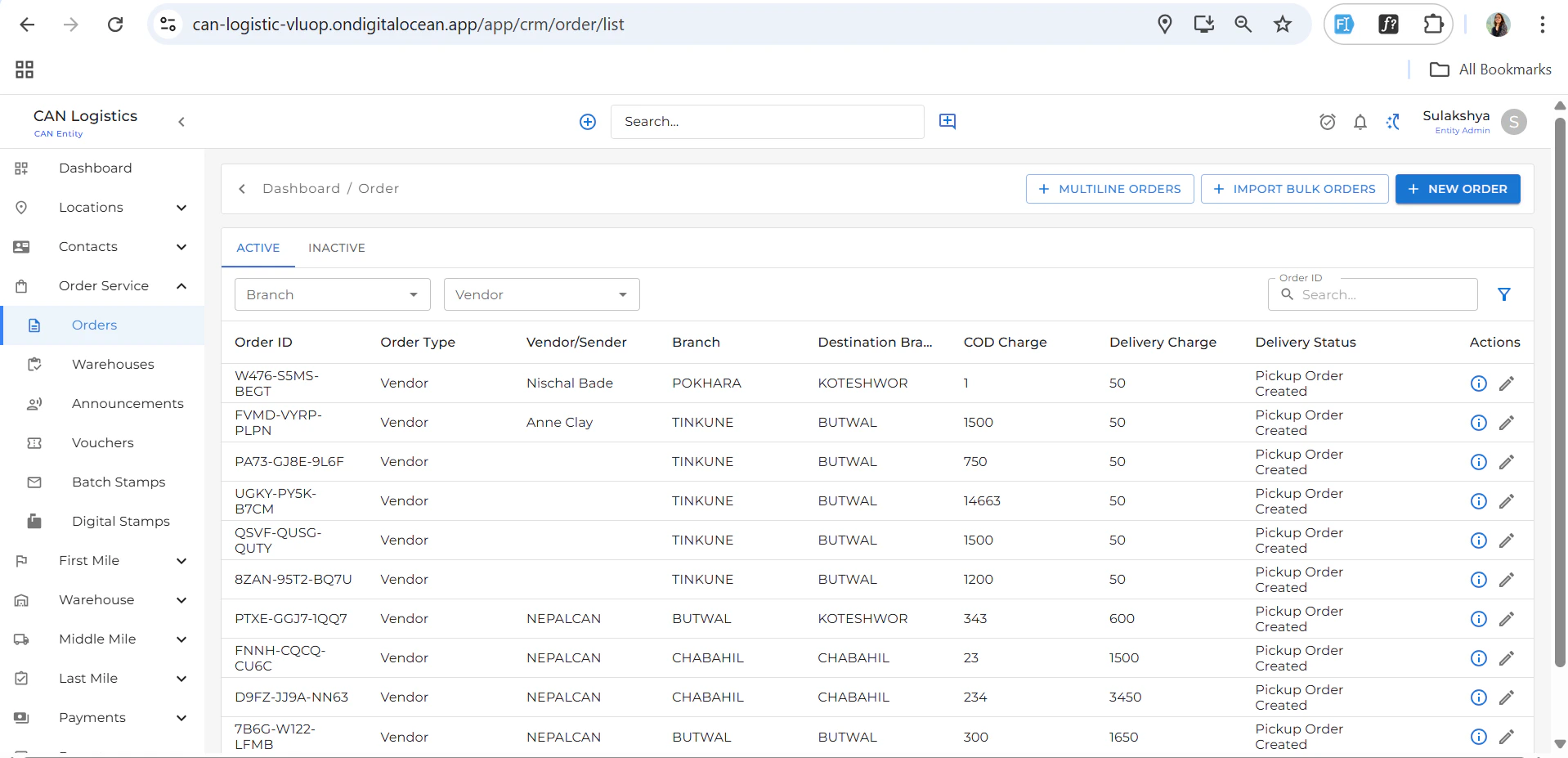
The **Order Services** module helps you manage, track, and take actions on orders through a comprehensive interface.
## Order List
* Displays a list of all orders.
* Columns include: **Order Type**, **Vendor**, **Branch**, **Delivery Status**, etc.
* Click the **New Order** button (top right) to add a new order.
 ## Order Detail Screen
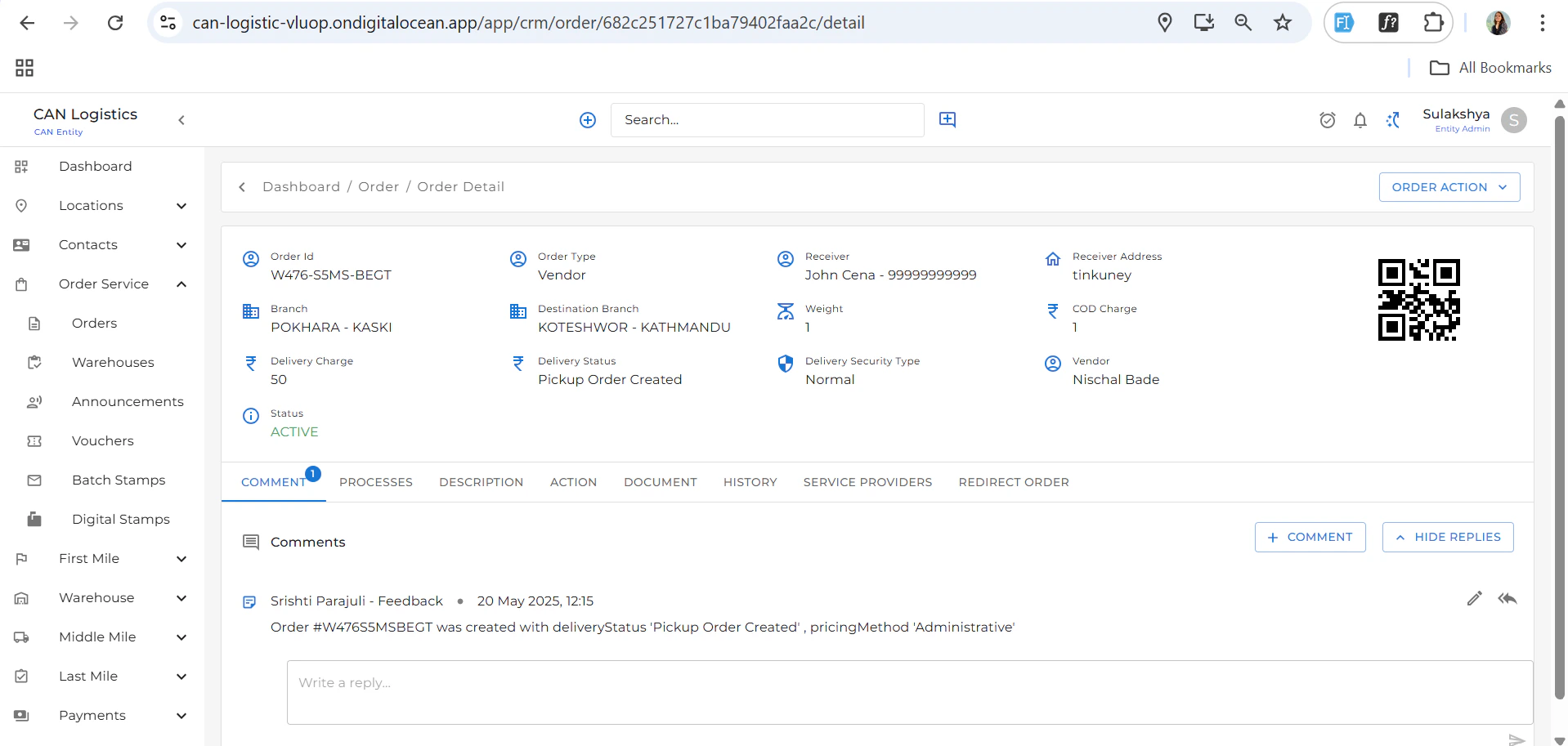
The detail view provides a summary and actionable tabs to manage each order.
## Order Detail Screen
The detail view provides a summary and actionable tabs to manage each order.
 ### Summary Section
* Shows key details of the selected order.
### Tabs Available
#### Order Actions
Top-right button that provides actions such as:
* **Edit Order**
* **Redirect Order**
* **Update Description**
* **Add Documents**
* **Manage Service Providers**
#### Comments & Replies
* Add or reply to comments related to the order.
#### Processes
* View and manage the order process steps.
#### Update Description
* Edit and update order descriptions.
#### Documents
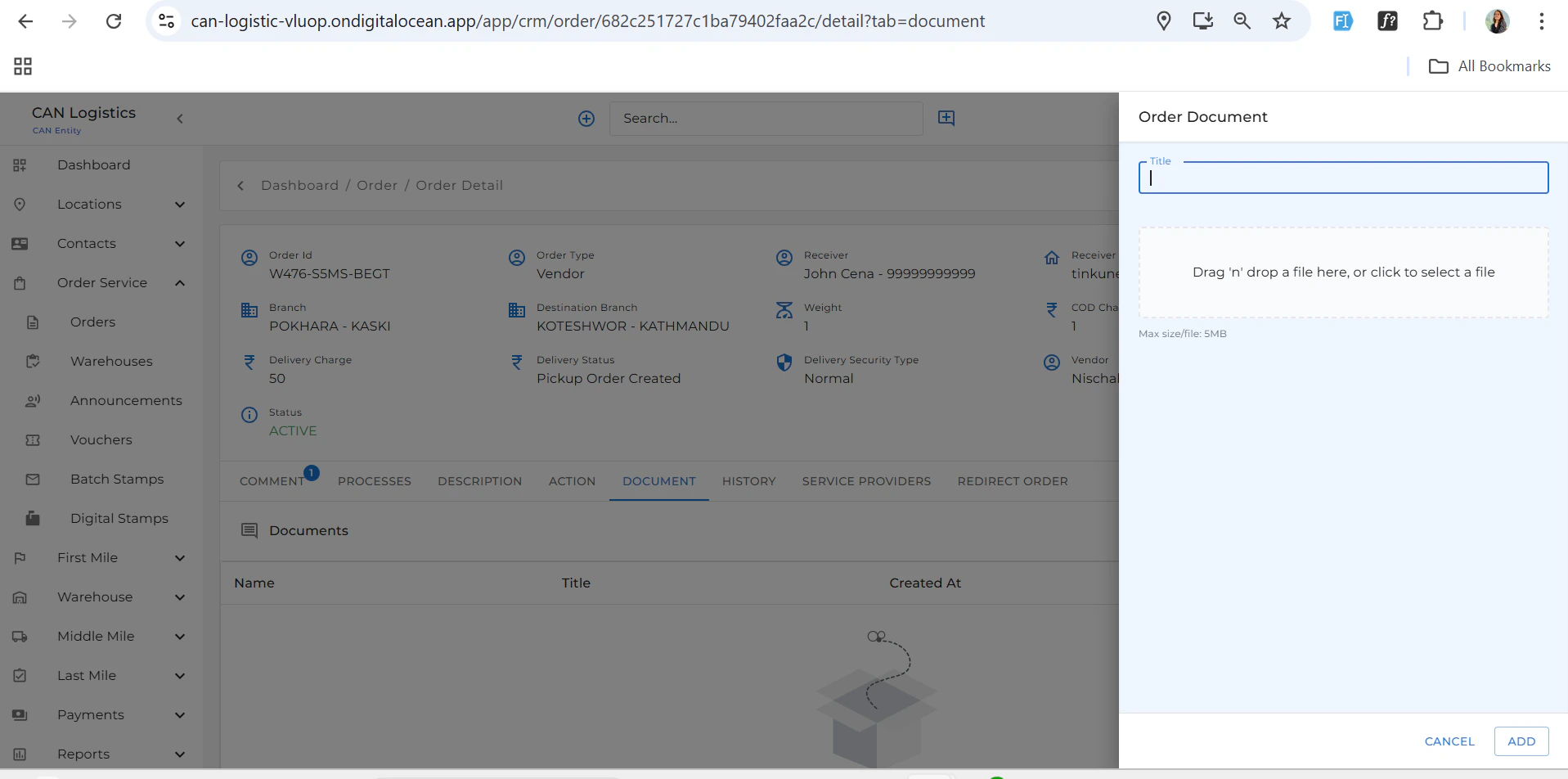
* Upload and manage order-related documents.
### Summary Section
* Shows key details of the selected order.
### Tabs Available
#### Order Actions
Top-right button that provides actions such as:
* **Edit Order**
* **Redirect Order**
* **Update Description**
* **Add Documents**
* **Manage Service Providers**
#### Comments & Replies
* Add or reply to comments related to the order.
#### Processes
* View and manage the order process steps.
#### Update Description
* Edit and update order descriptions.
#### Documents
* Upload and manage order-related documents.
 #### History
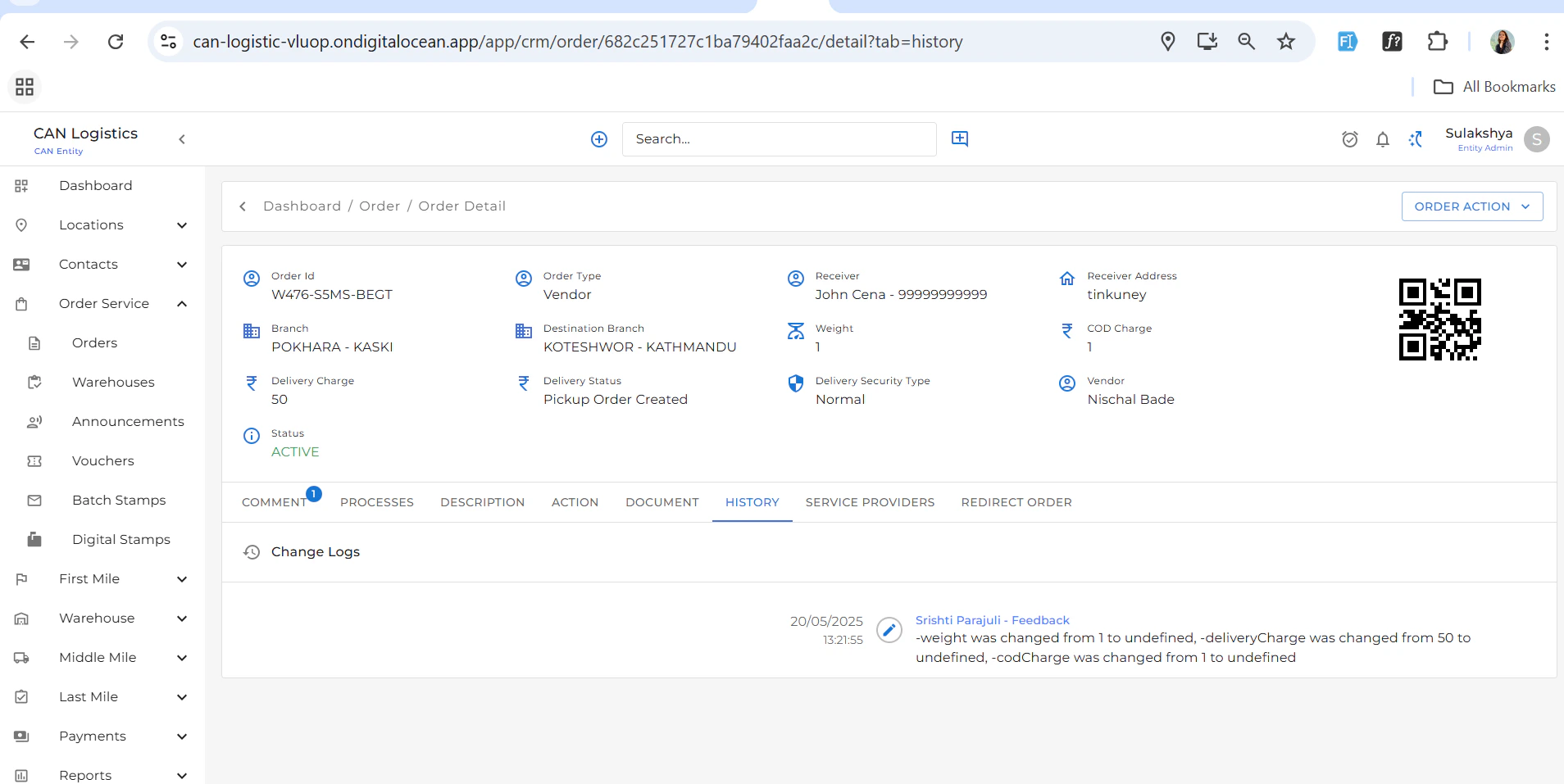
* View a full audit trail of updates made to the order.
#### History
* View a full audit trail of updates made to the order.
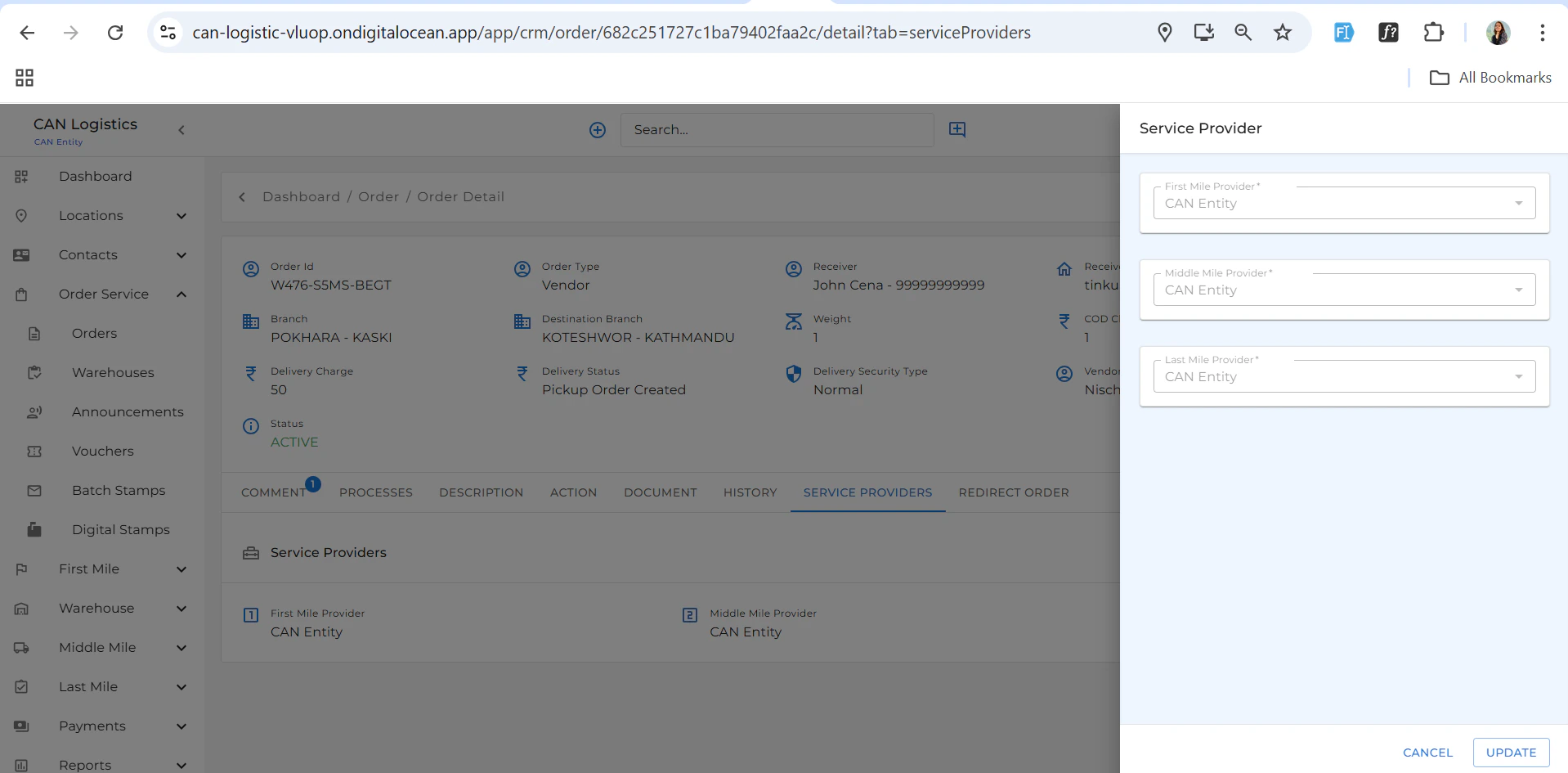
 #### Service Providers
* Add or update the assigned service providers.
#### Service Providers
* Add or update the assigned service providers.
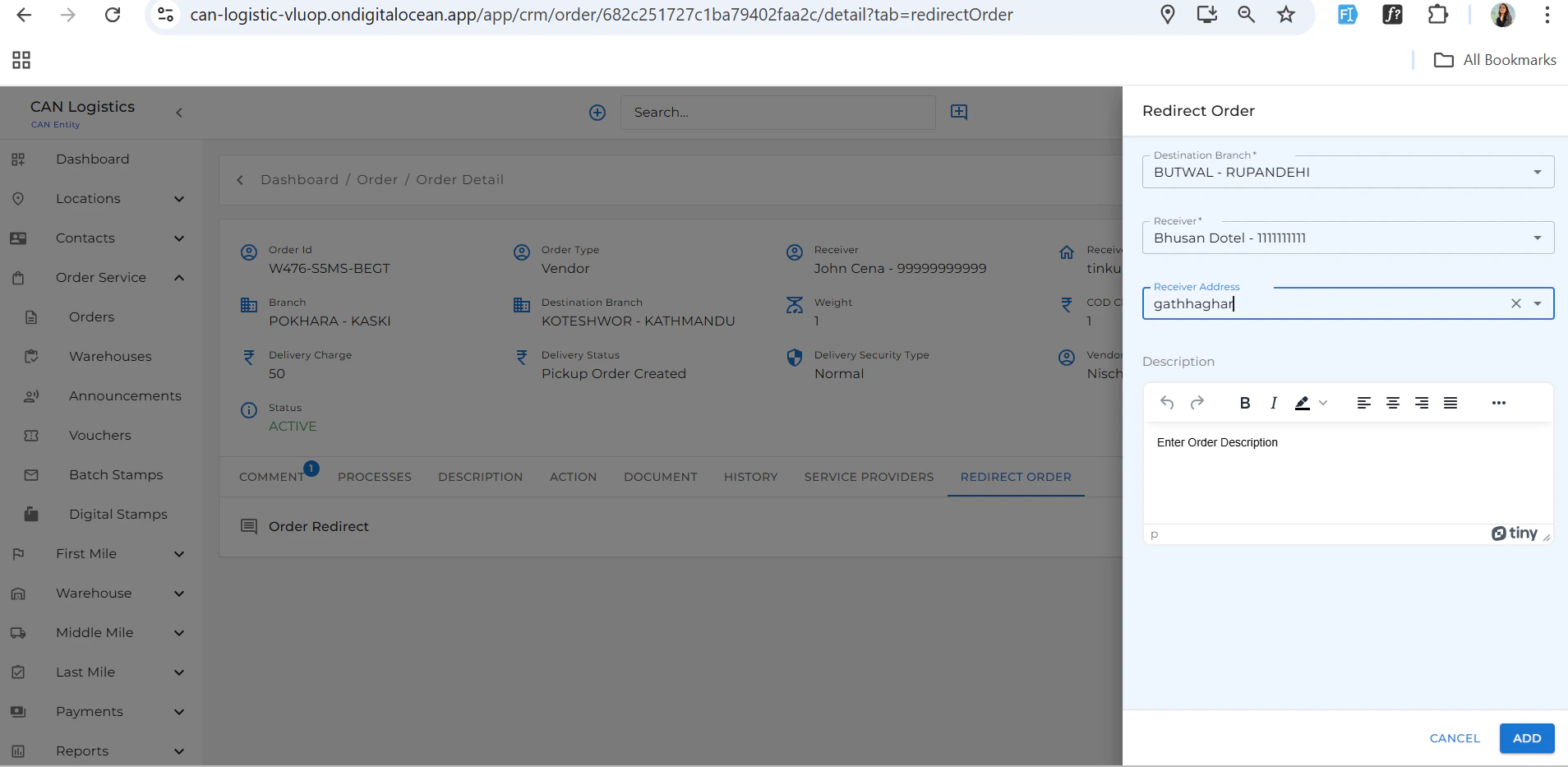
 #### Redirect Order
* Redirect the order to another branch or service if needed.
#### Redirect Order
* Redirect the order to another branch or service if needed.
 #### Edit Order
* Update order fields and preferences.
***
#### Edit Order
* Update order fields and preferences.
***