> ## Documentation Index
> Fetch the complete documentation index at: https://docs.commerce.thecanbrand.com/llms.txt
> Use this file to discover all available pages before exploring further.
# Warehouse
## Warehouse List
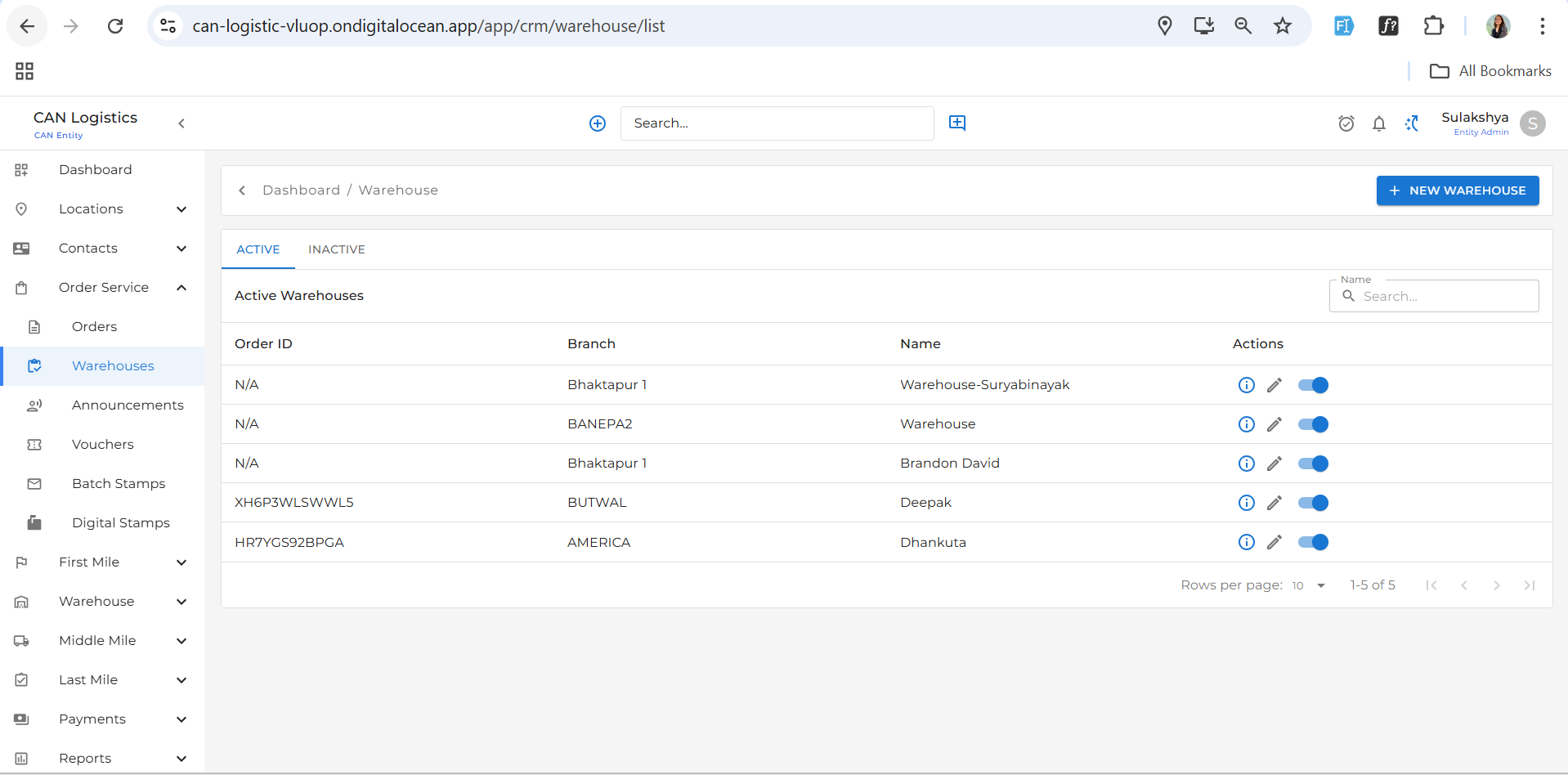
Displays the complete list of warehouses that have been added.
 ## Add Warehouse
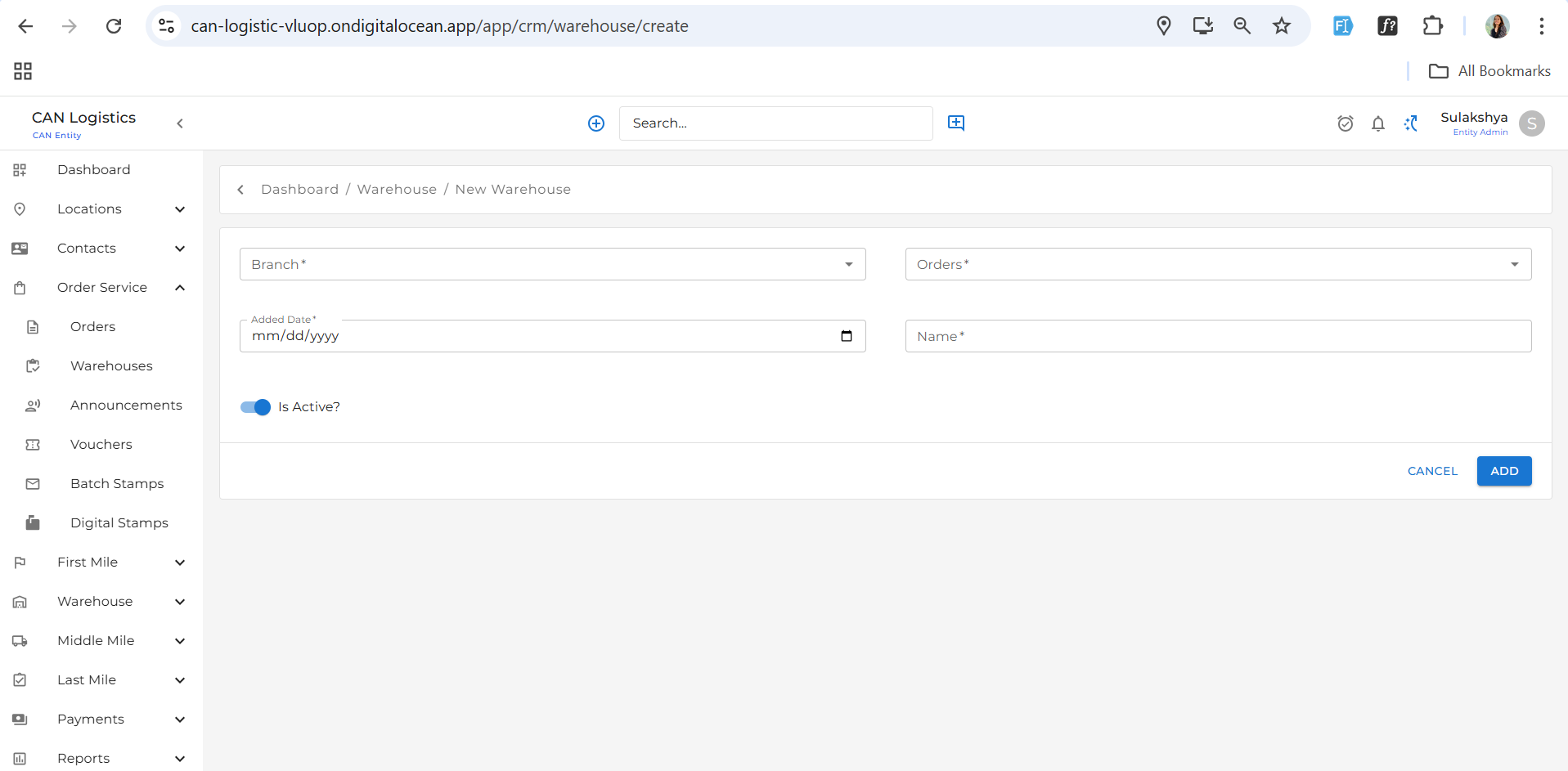
Click the **"New Warehouse"** button located at the top-right corner to create a new warehouse.
## Add Warehouse
Click the **"New Warehouse"** button located at the top-right corner to create a new warehouse.
 ## Edit Warehouse
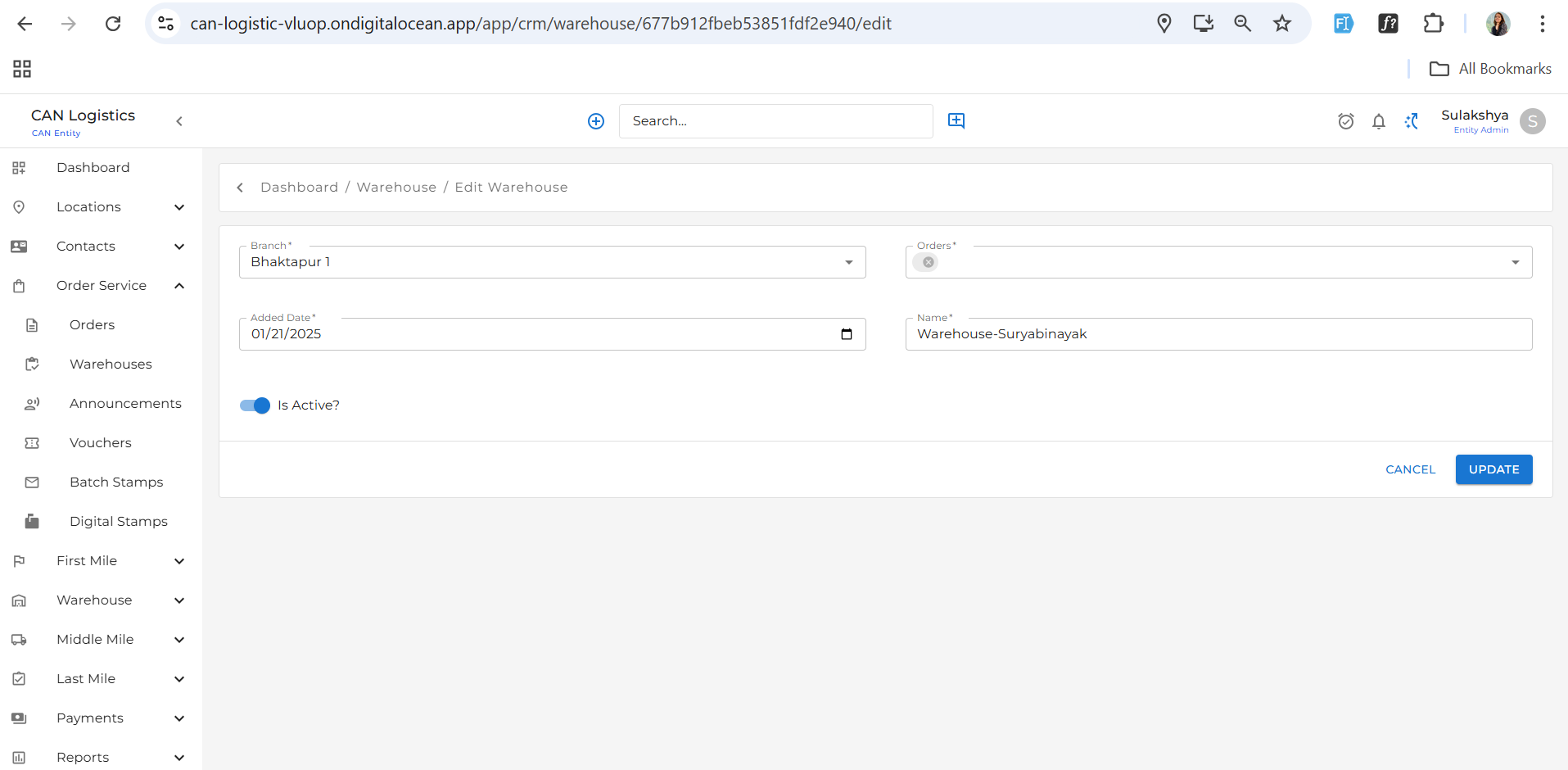
You can edit an existing warehouse to update its details according to your preferences.
## Edit Warehouse
You can edit an existing warehouse to update its details according to your preferences.
 ## Warehouse Details
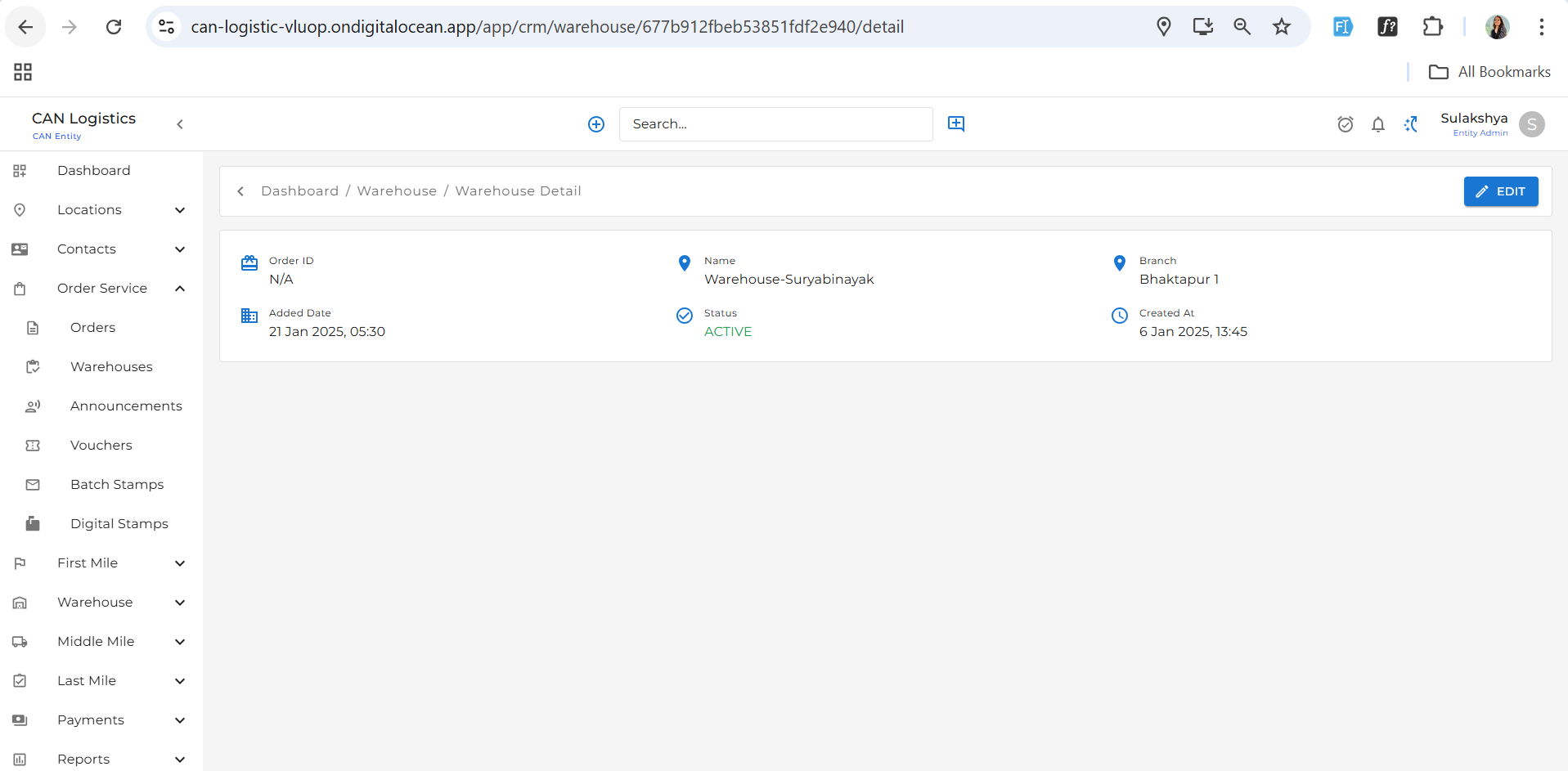
View detailed information about each warehouse, including its location, status, and other relevant data.
## Warehouse Details
View detailed information about each warehouse, including its location, status, and other relevant data.