> ## Documentation Index
> Fetch the complete documentation index at: https://docs.commerce.thecanbrand.com/llms.txt
> Use this file to discover all available pages before exploring further.
# Coupon
> Guide to adding and applying coupons during purchase
# Coupon
## Adding a Coupon
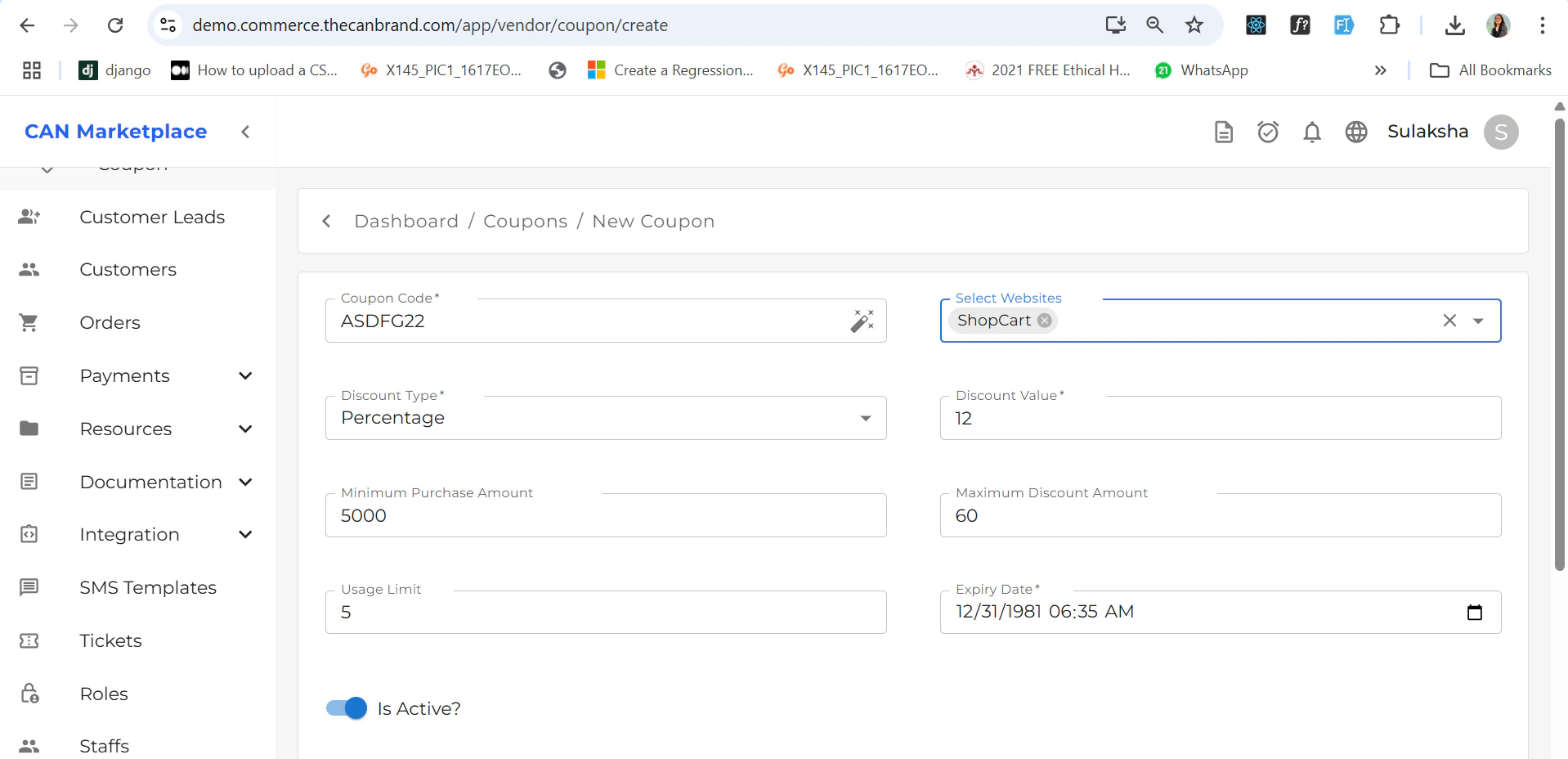
You can add a coupon by filling in all the required details such as:
* Coupon code
* Discount type and value
* Validity dates
* Usage limits (if any)
* Eligibility conditions
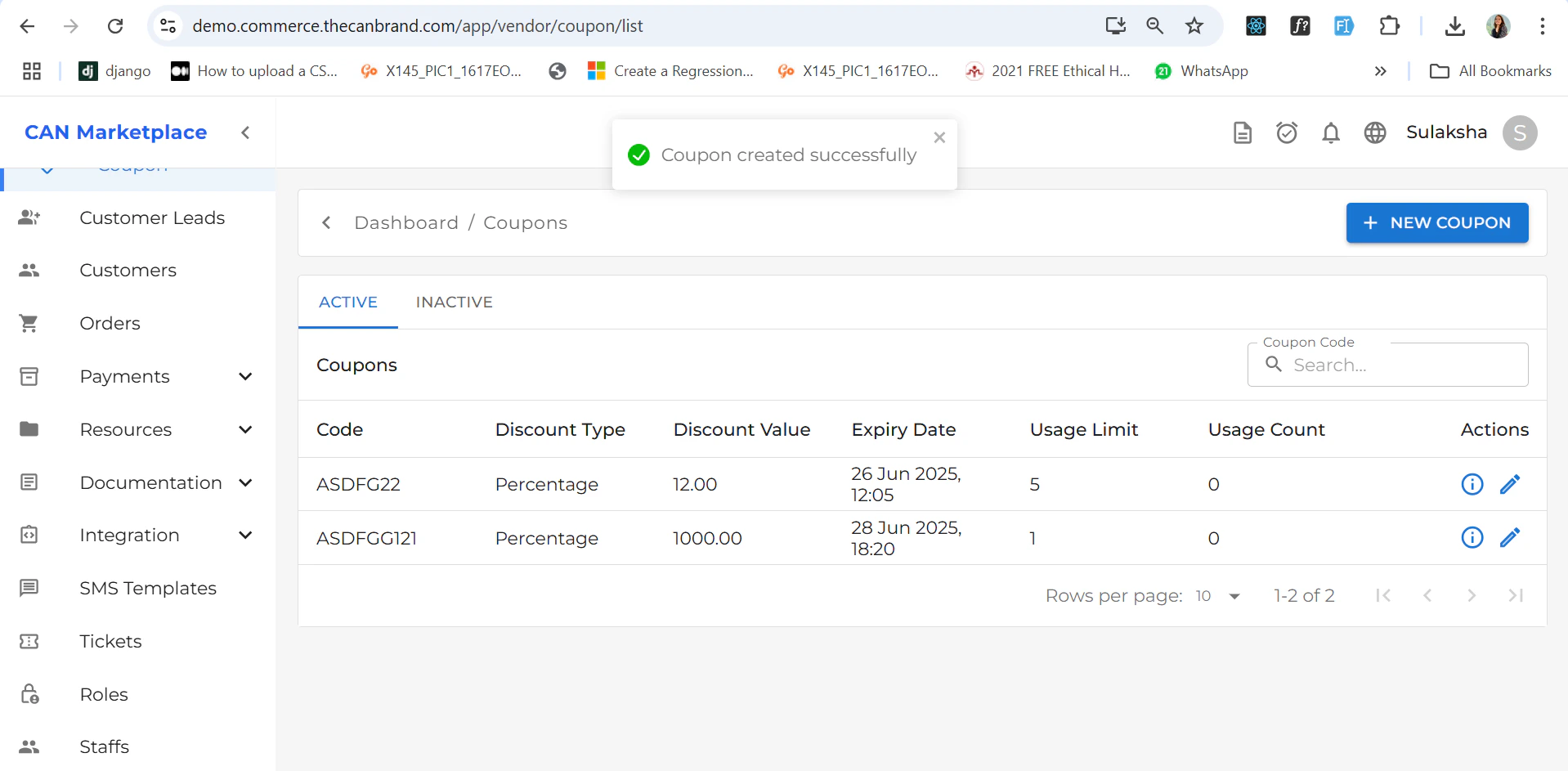
Once the coupon is successfully added:
 * It will appear in the **Coupon List** screen.
* If the coupon is **eligible**, it will automatically show up during the **checkout process** while purchasing a product.
* It will appear in the **Coupon List** screen.
* If the coupon is **eligible**, it will automatically show up during the **checkout process** while purchasing a product.
 # Coupon Detail
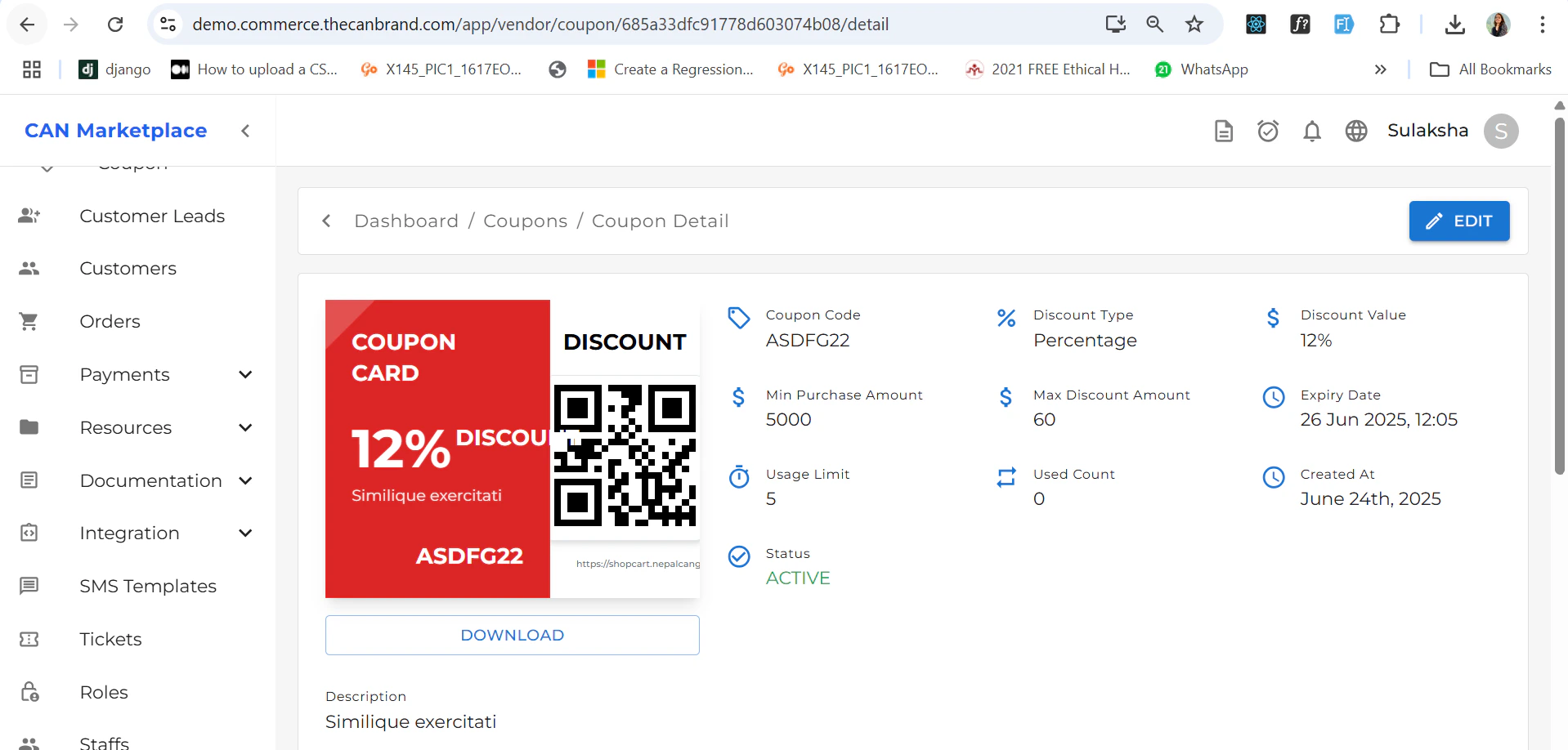
The **Coupon Detail** page displays all relevant information about a specific coupon with Voucher you can download the voucher if needed.
# Coupon Detail
The **Coupon Detail** page displays all relevant information about a specific coupon with Voucher you can download the voucher if needed.
 ## Applying a Coupon
During checkout:
1. If the coupon is eligible, you’ll see a field to **enter the coupon code**.
2. Enter the code and apply it to receive the discount.
## Applying a Coupon
During checkout:
1. If the coupon is eligible, you’ll see a field to **enter the coupon code**.
2. Enter the code and apply it to receive the discount.