> ## Documentation Index
> Fetch the complete documentation index at: https://docs.commerce.thecanbrand.com/llms.txt
> Use this file to discover all available pages before exploring further.
# Api endpoints
# API Endpoint Documentation Guide
This guide helps you understand how to interact with the API endpoint section, how to use the available modules and methods, and how to leverage the code samples effectively.
***
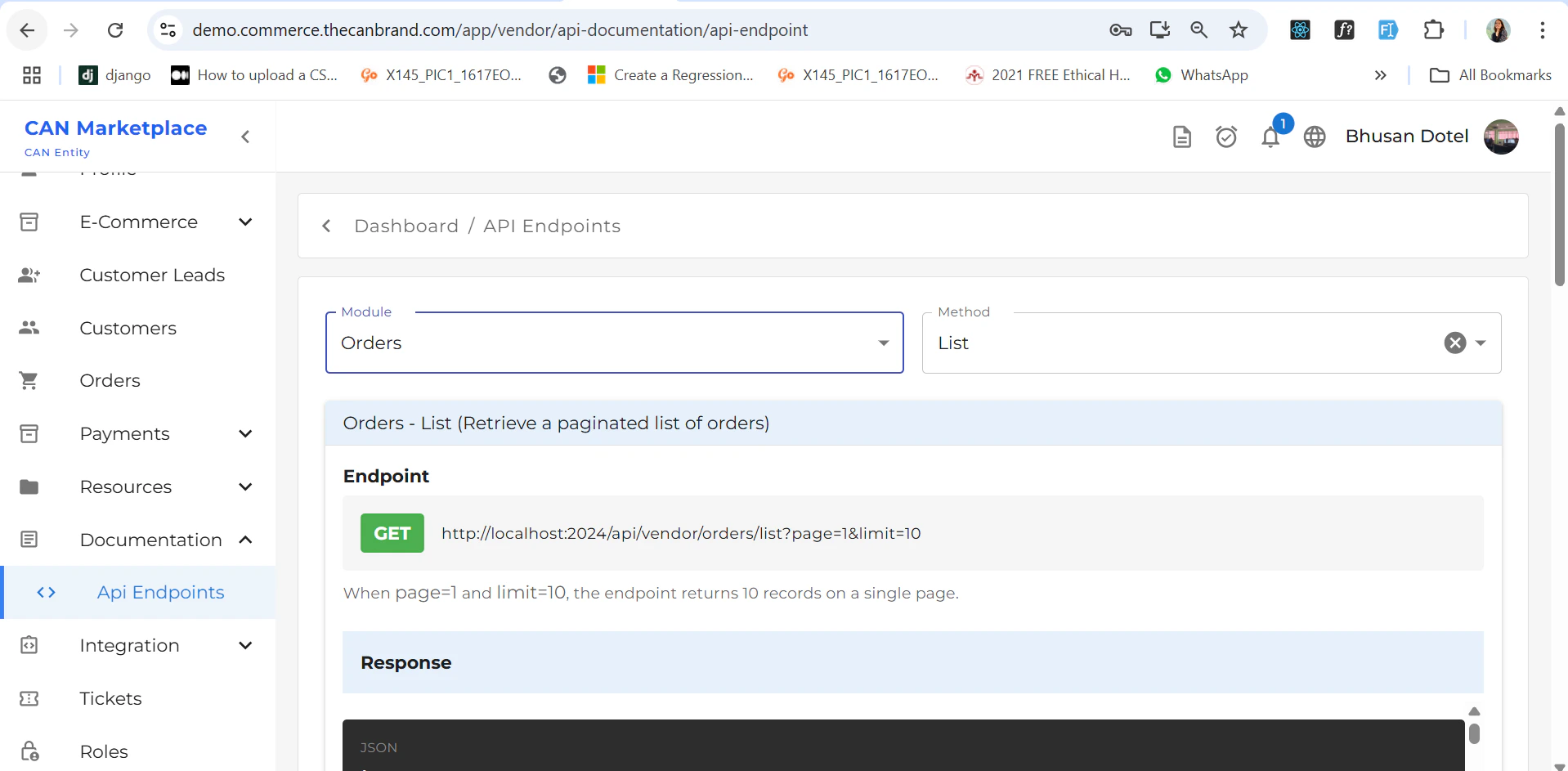
## Module & Method Selection
You can **select a module and its corresponding method** based on your requirement.
* After selecting the desired **module**, a list of **available methods** will appear.
* Each method provides access to its corresponding **API references**.
Once a method is selected, you can easily implement it into your code using the available documentation and code snippets.
***
 ## Code Samples
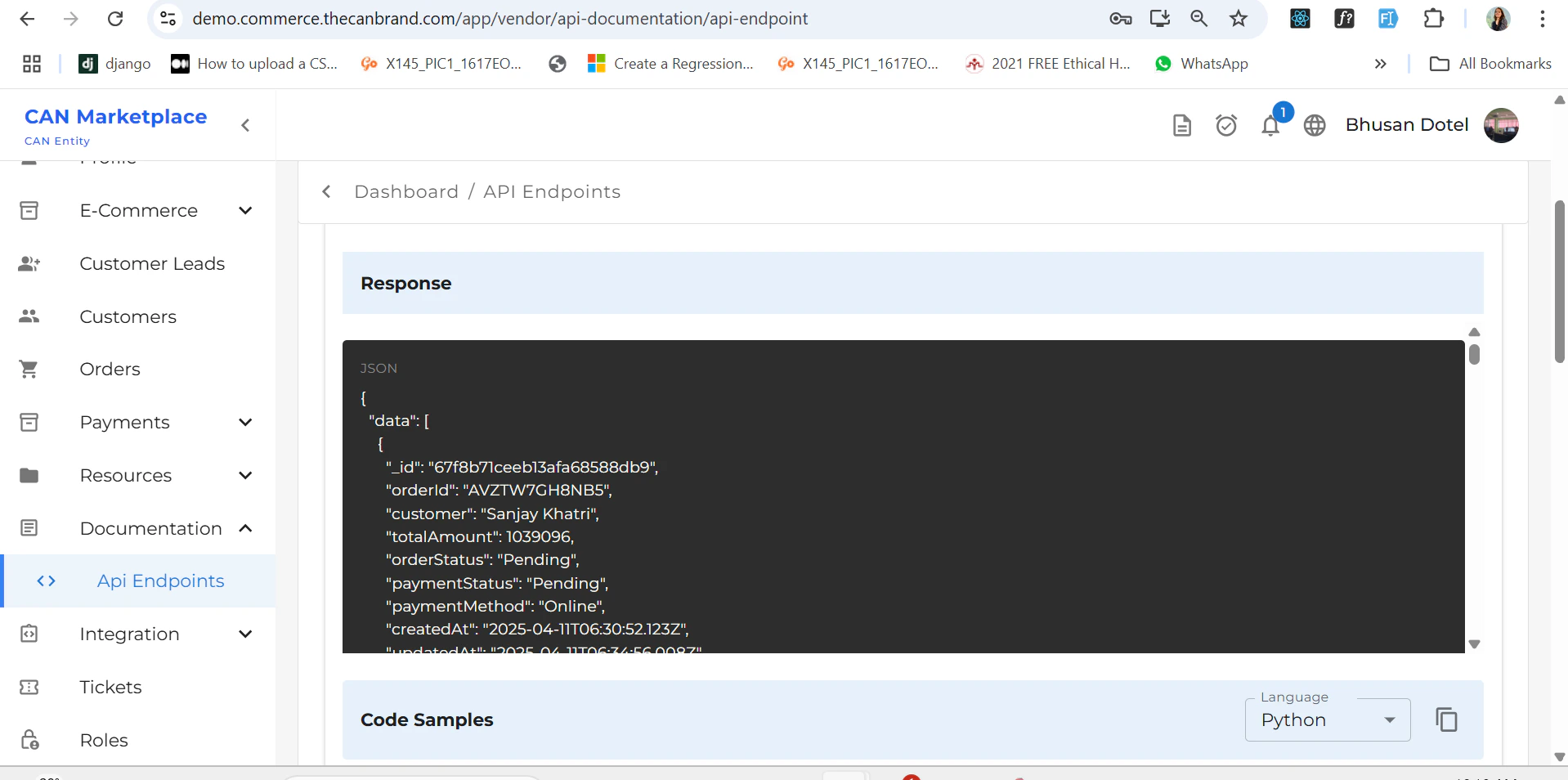
When you **scroll down a bit**, you'll see the **code sample section**.
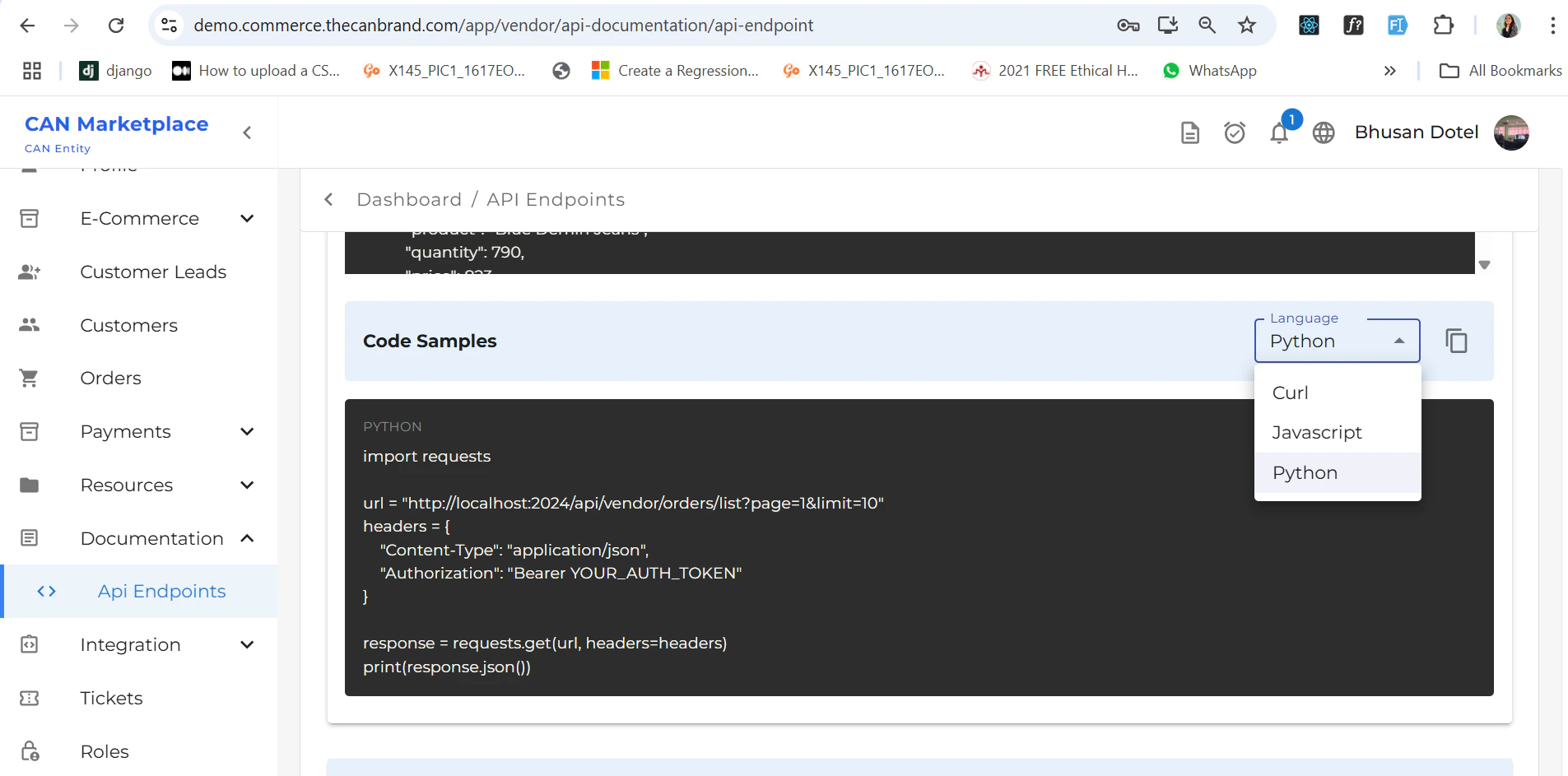
* On the **right side**, there is a dropdown to switch between different programming languages:
* `cURL`
* `JavaScript`
* `Python`
Select the language of your choice to view the relevant code sample automatically.
## Code Samples
When you **scroll down a bit**, you'll see the **code sample section**.
* On the **right side**, there is a dropdown to switch between different programming languages:
* `cURL`
* `JavaScript`
* `Python`
Select the language of your choice to view the relevant code sample automatically.
 ***
***
 ## Error Reference Cards
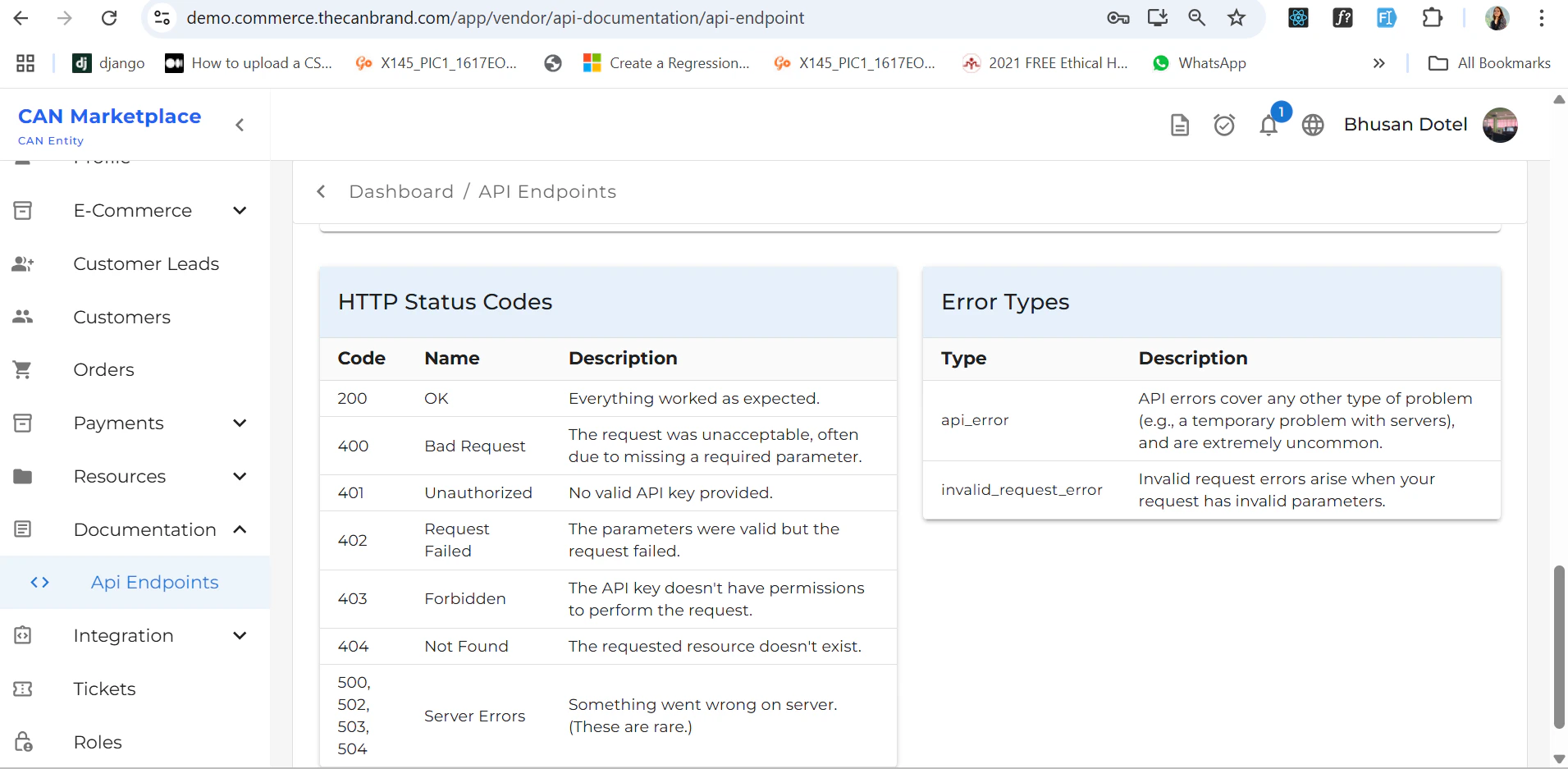
There are two **error reference cards** displayed:
1. **If there's an error in your website**, these cards help you:
* Identify the error type.
* Understand the error code.
* Get a brief description of the issue.
2. Use these references to debug and **resolve errors efficiently** based on the information provided.
***
## Quick Tips
* Make sure to match the module and method accurately before copying the sample code.
* Use the **language selector** to view implementation in your preferred coding language.
* Refer to the **error cards** to identify and fix common API issues.
## Error Reference Cards
There are two **error reference cards** displayed:
1. **If there's an error in your website**, these cards help you:
* Identify the error type.
* Understand the error code.
* Get a brief description of the issue.
2. Use these references to debug and **resolve errors efficiently** based on the information provided.
***
## Quick Tips
* Make sure to match the module and method accurately before copying the sample code.
* Use the **language selector** to view implementation in your preferred coding language.
* Refer to the **error cards** to identify and fix common API issues.