> ## Documentation Index
> Fetch the complete documentation index at: https://docs.commerce.thecanbrand.com/llms.txt
> Use this file to discover all available pages before exploring further.
# Vendor/Navbar
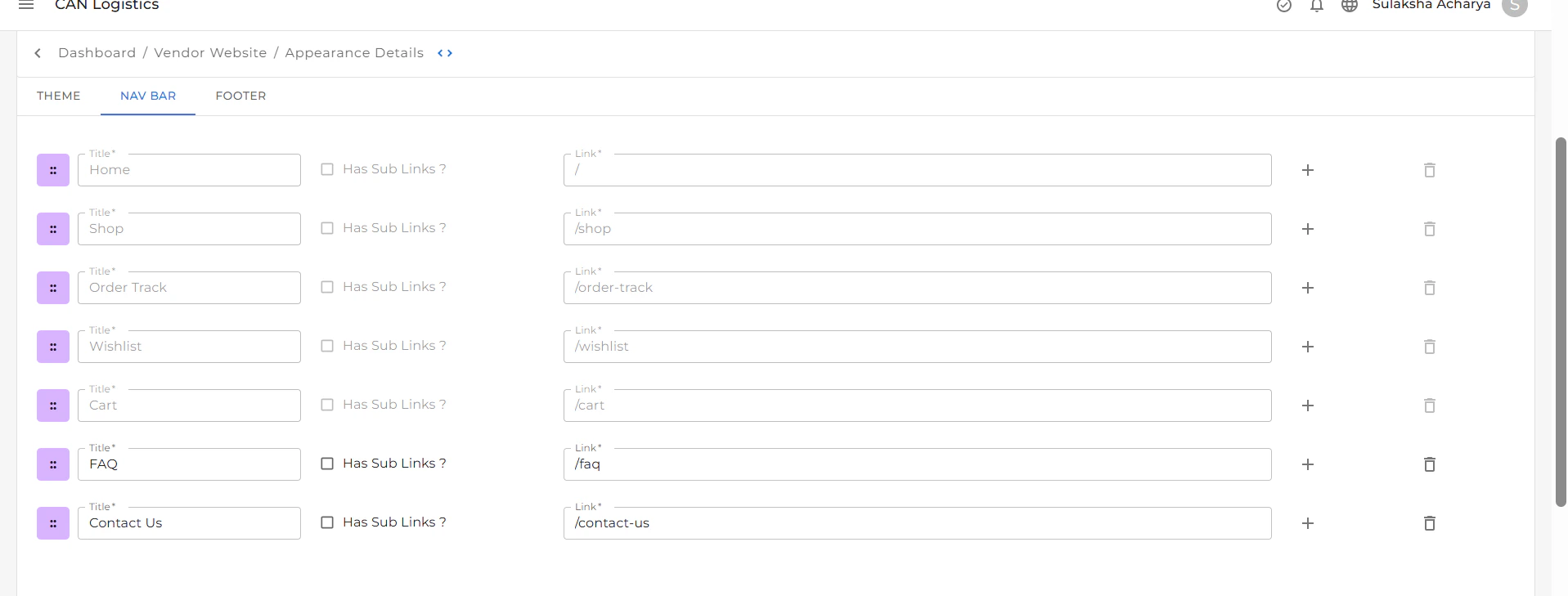
The **Navbar** (also called the **Header**) is the section displayed at the top of your website. It helps users navigate easily between pages.
### Features of the Navbar
#### Navigation Links
The Navbar includes links to essential pages such as:
* **Home**
* **Shop**
* **Order Track**
* **Wishlist**
* **Cart**
> These links are added by default.
#### Custom Pages
You can personalize the Navbar by adding or removing pages:
* Click the **(+) plus icon** to add custom pages.
* Click the **delete icon** next to a page name to remove it.
#### Navbar Text
You can customize the text of each Navbar item to reflect your content or preferred naming style.
#### Color Customization
Adjust the visual style of your Navbar:
* Change the **background color** of the Navbar.
* Update the **text color** to align with your website’s theme and brand identity.