Order Services
The Order Services module helps you manage, track, and take actions on orders through a comprehensive interface.Order List
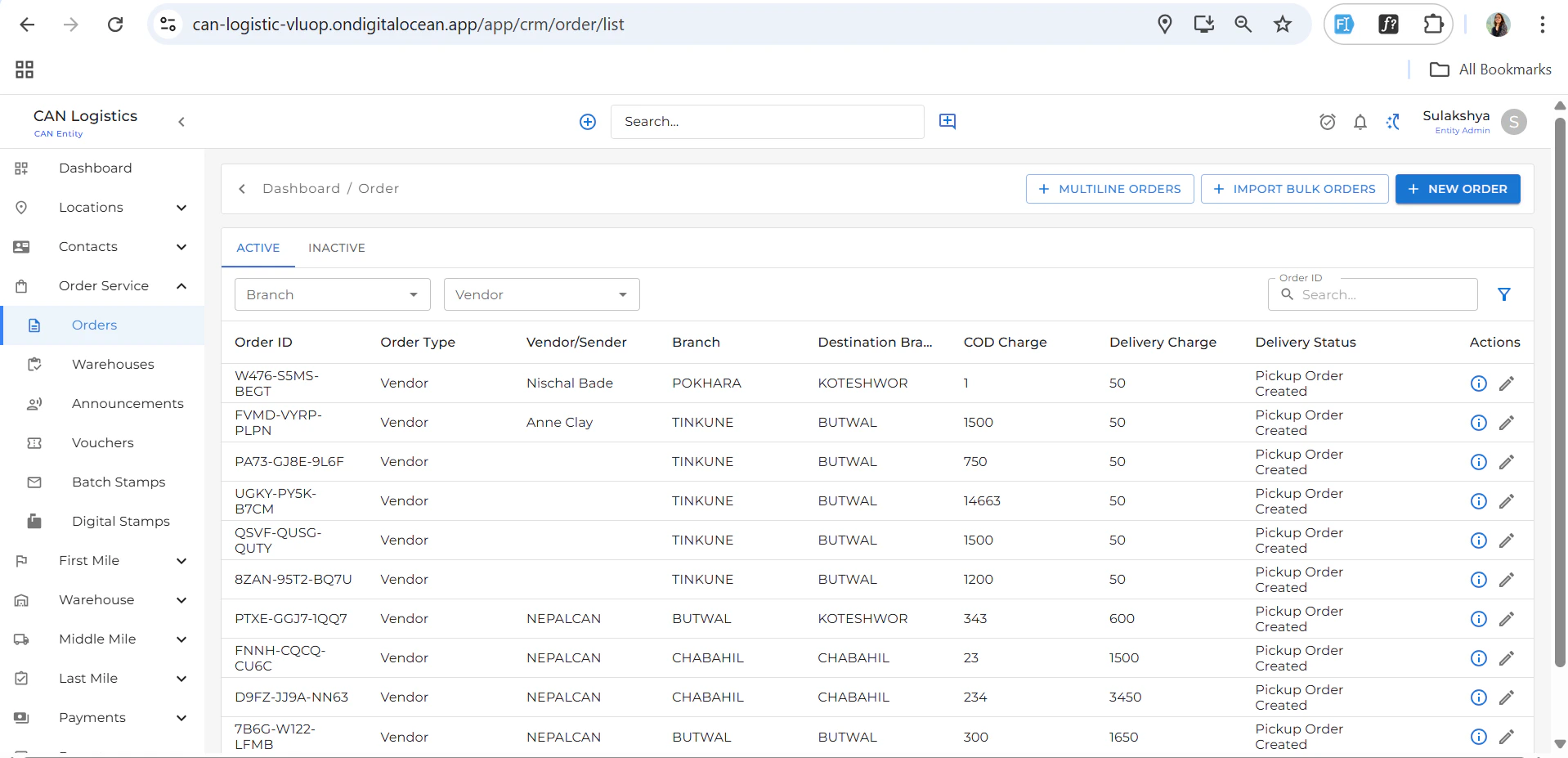
- Displays a list of all orders.
- Columns include: Order Type, Vendor, Branch, Delivery Status, etc.
- Click the New Order button (top right) to add a new order.
Order Detail Screen
The detail view provides a summary and actionable tabs to manage each order.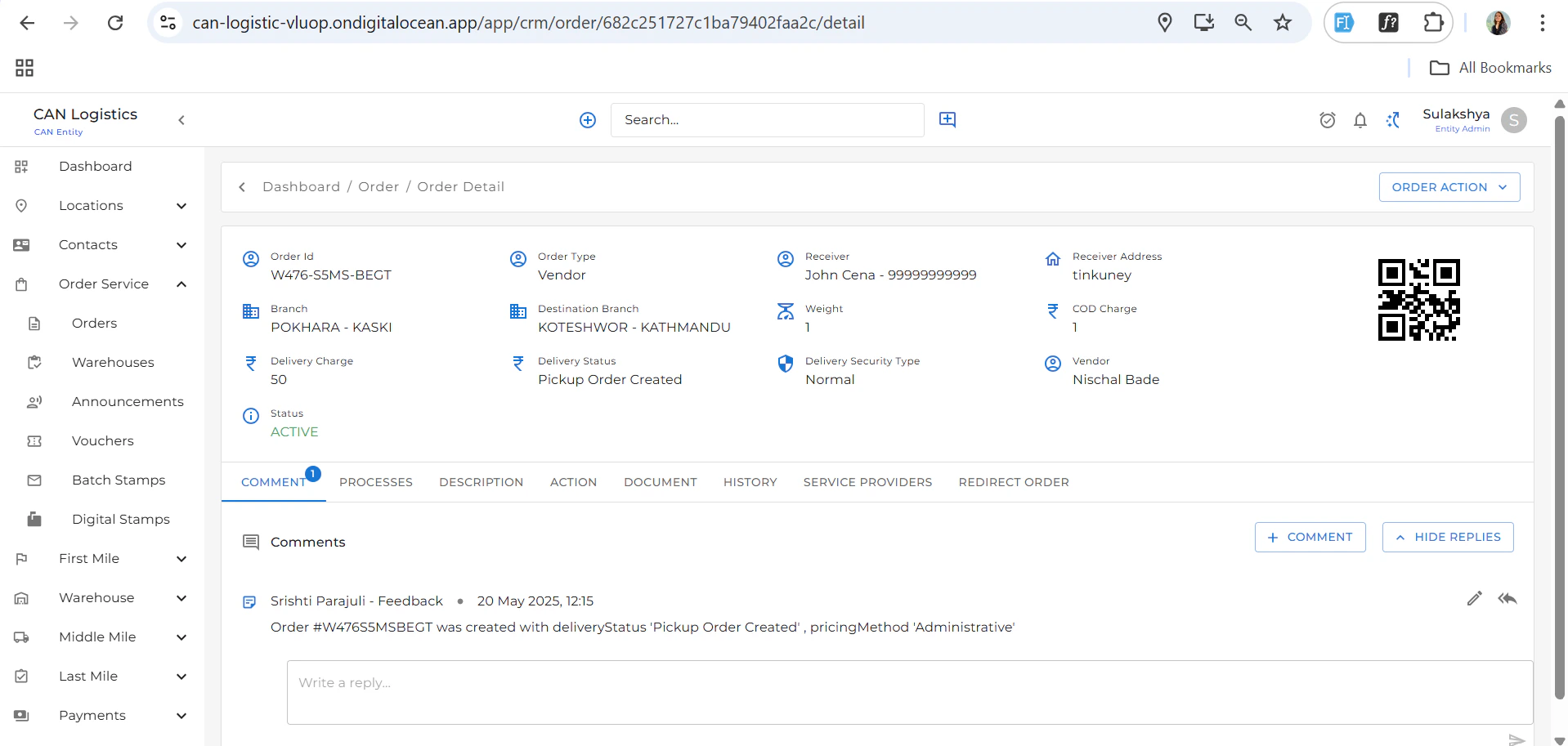
Summary Section
- Shows key details of the selected order.
Tabs Available
Order Actions
Top-right button that provides actions such as:- Edit Order
- Redirect Order
- Update Description
- Add Documents
- Manage Service Providers
Comments & Replies
- Add or reply to comments related to the order.
Processes
- View and manage the order process steps.
Update Description
- Edit and update order descriptions.
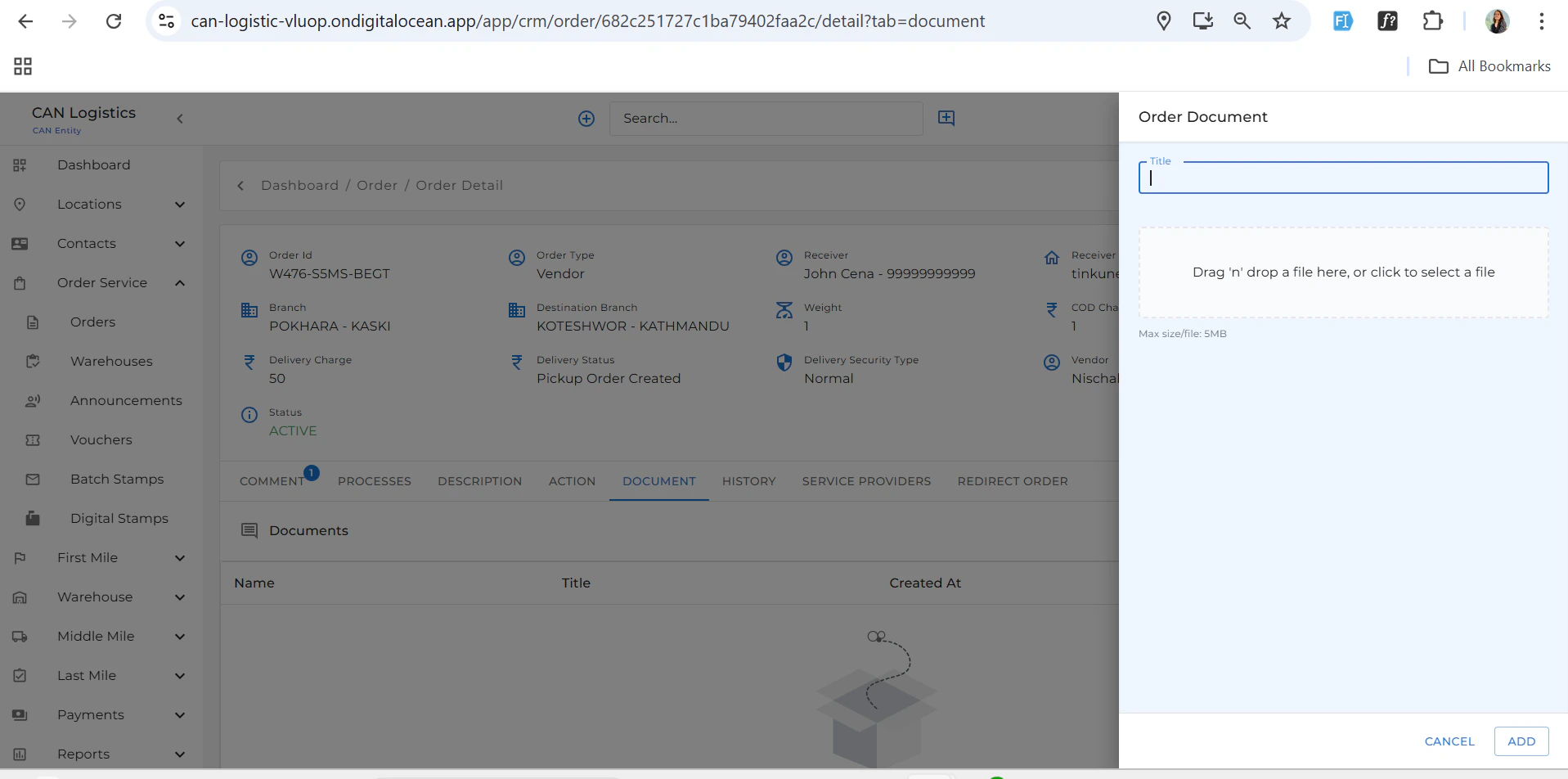
Documents
- Upload and manage order-related documents.
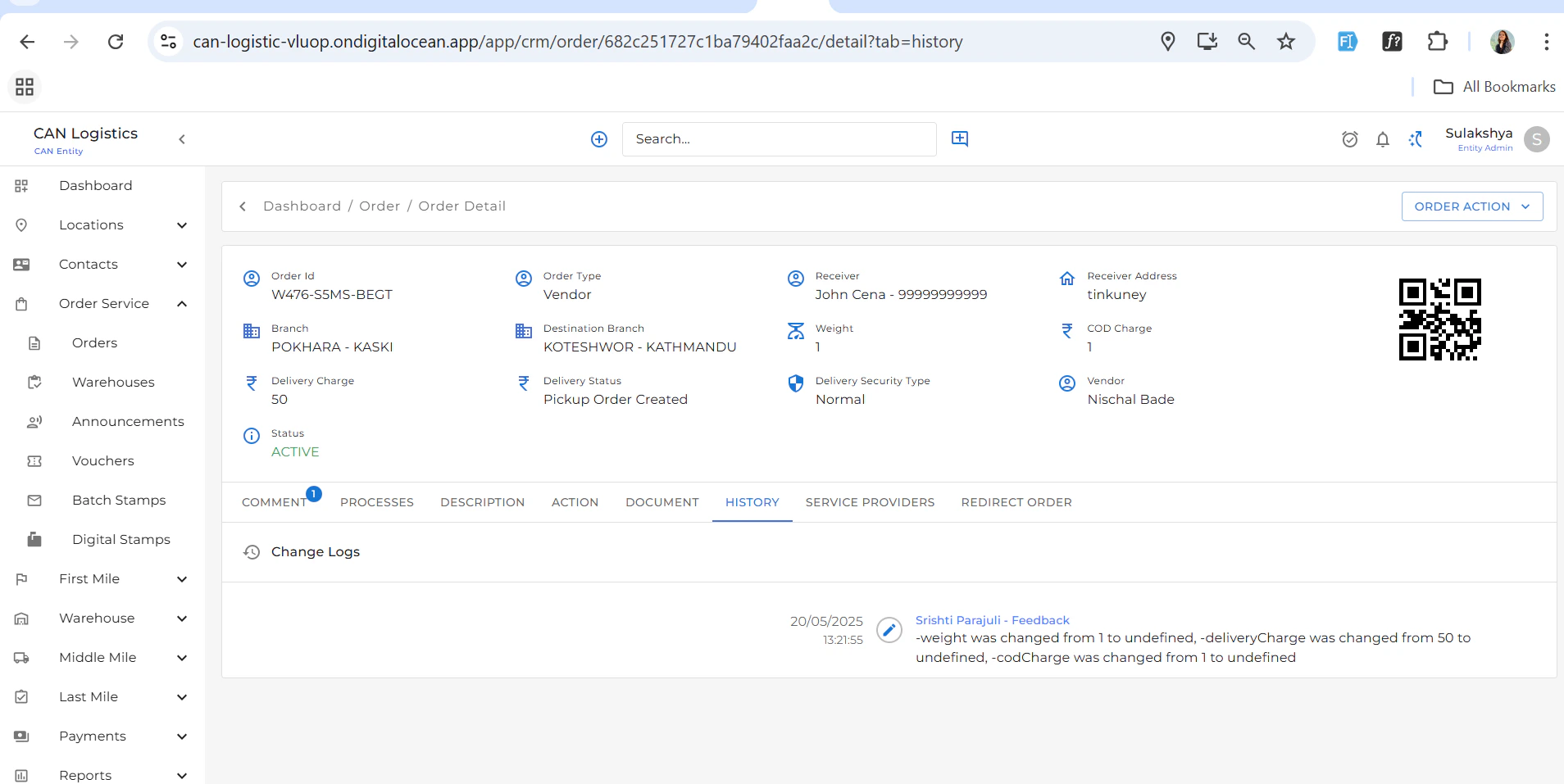
History
- View a full audit trail of updates made to the order.
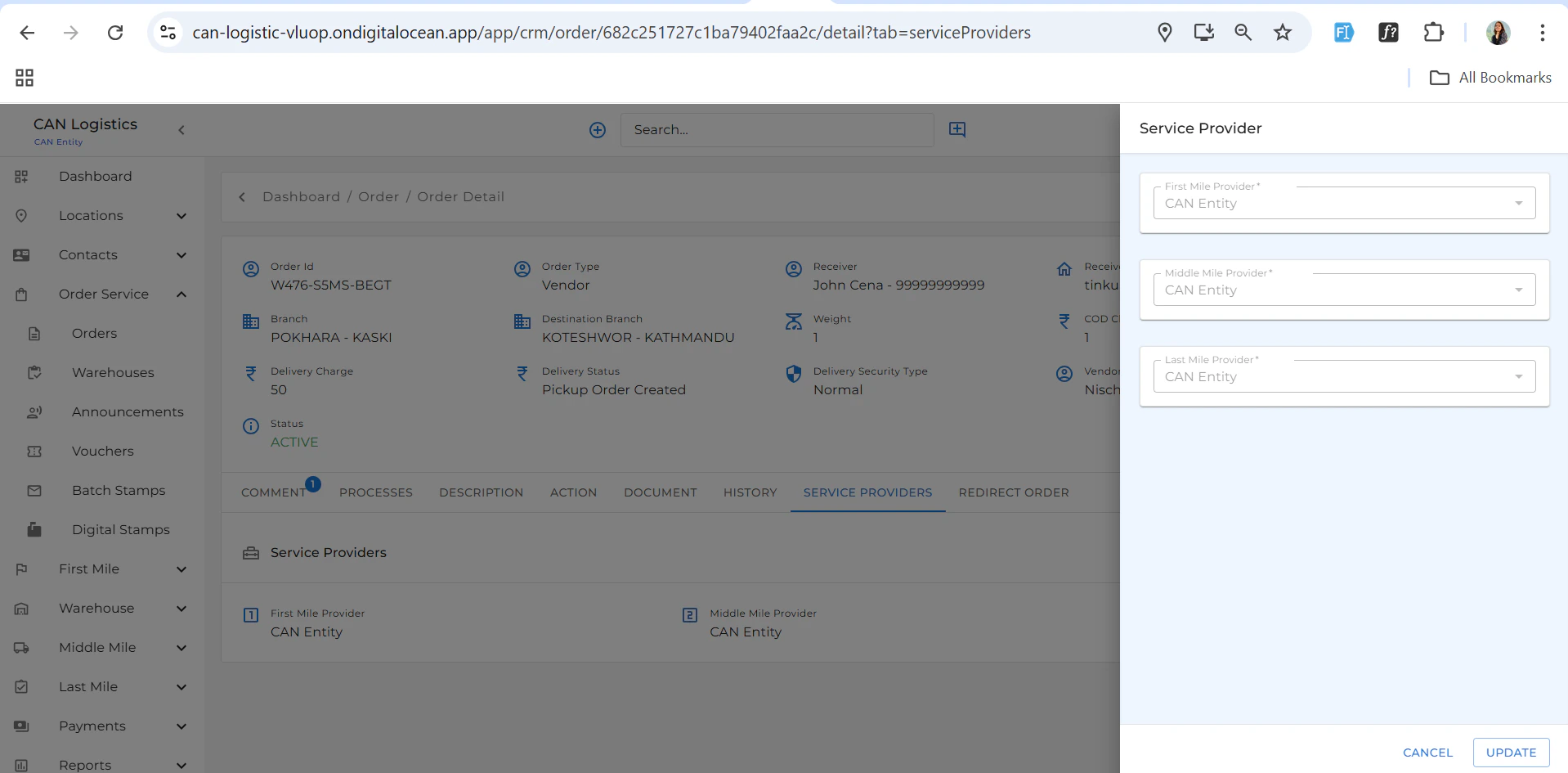
Service Providers
- Add or update the assigned service providers.
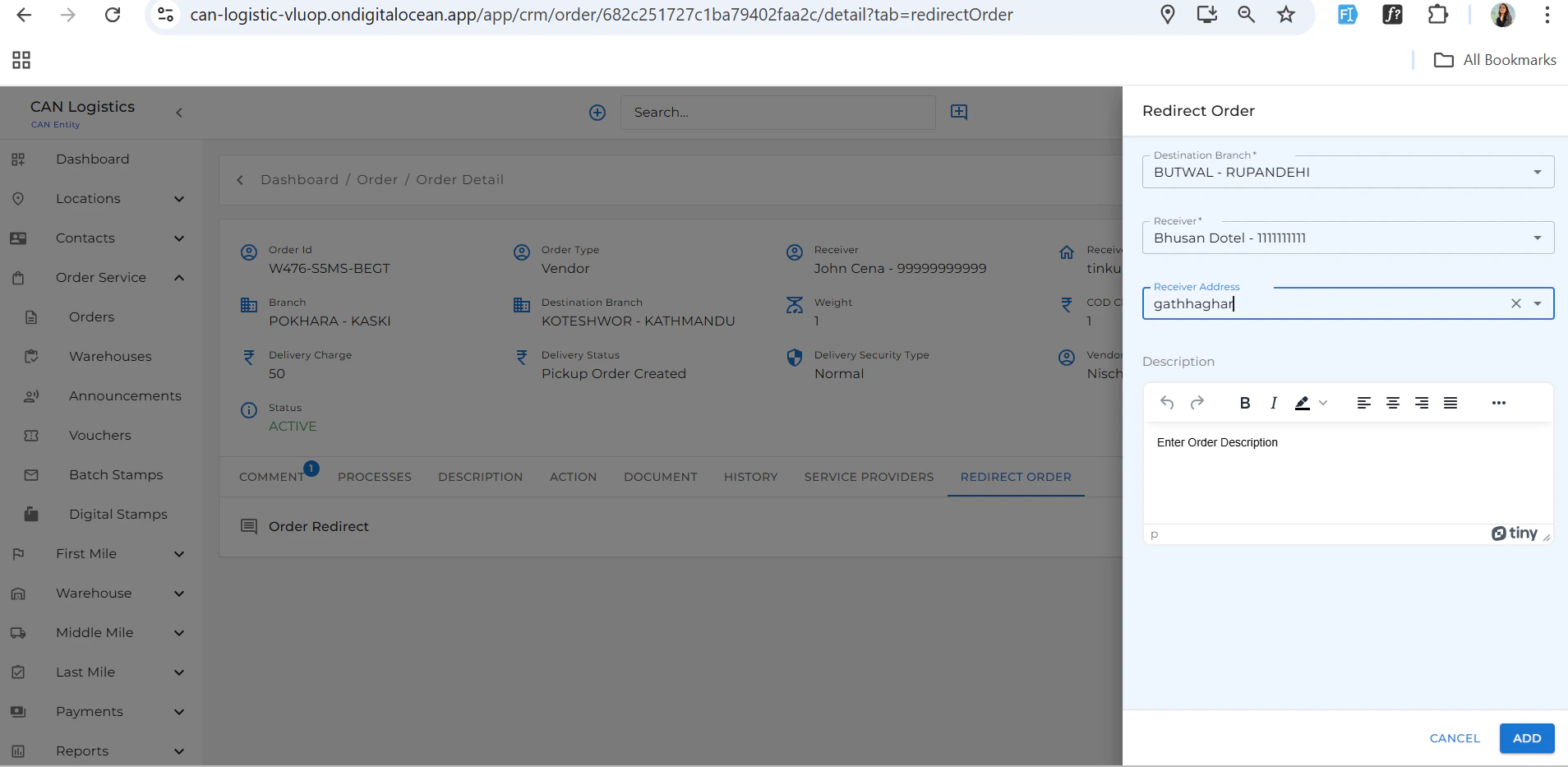
Redirect Order
- Redirect the order to another branch or service if needed.
Edit Order
- Update order fields and preferences.