API Endpoint Documentation Guide
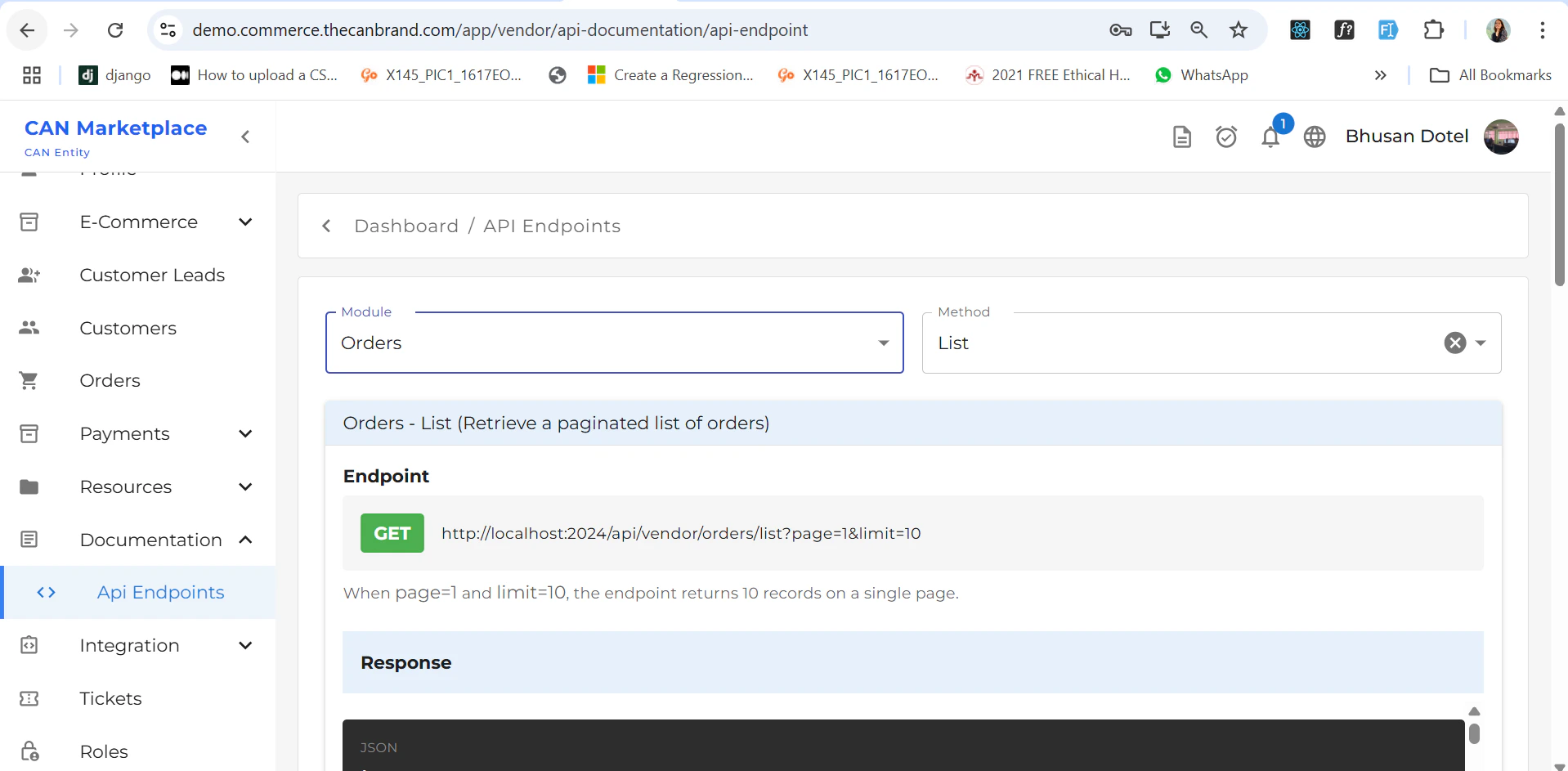
This guide helps you understand how to interact with the API endpoint section, how to use the available modules and methods, and how to leverage the code samples effectively.Module & Method Selection
You can select a module and its corresponding method based on your requirement.- After selecting the desired module, a list of available methods will appear.
- Each method provides access to its corresponding API references.
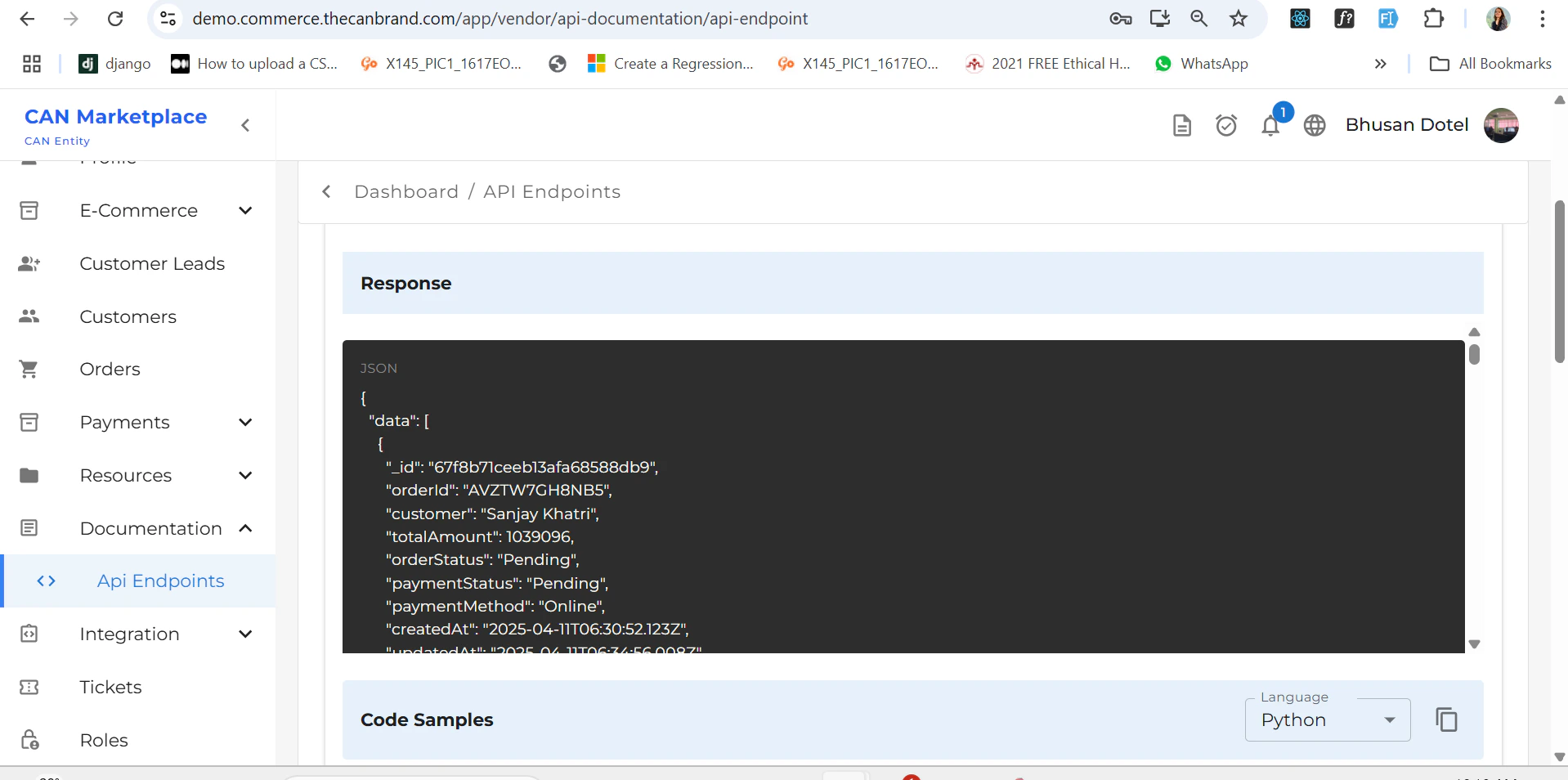
Code Samples
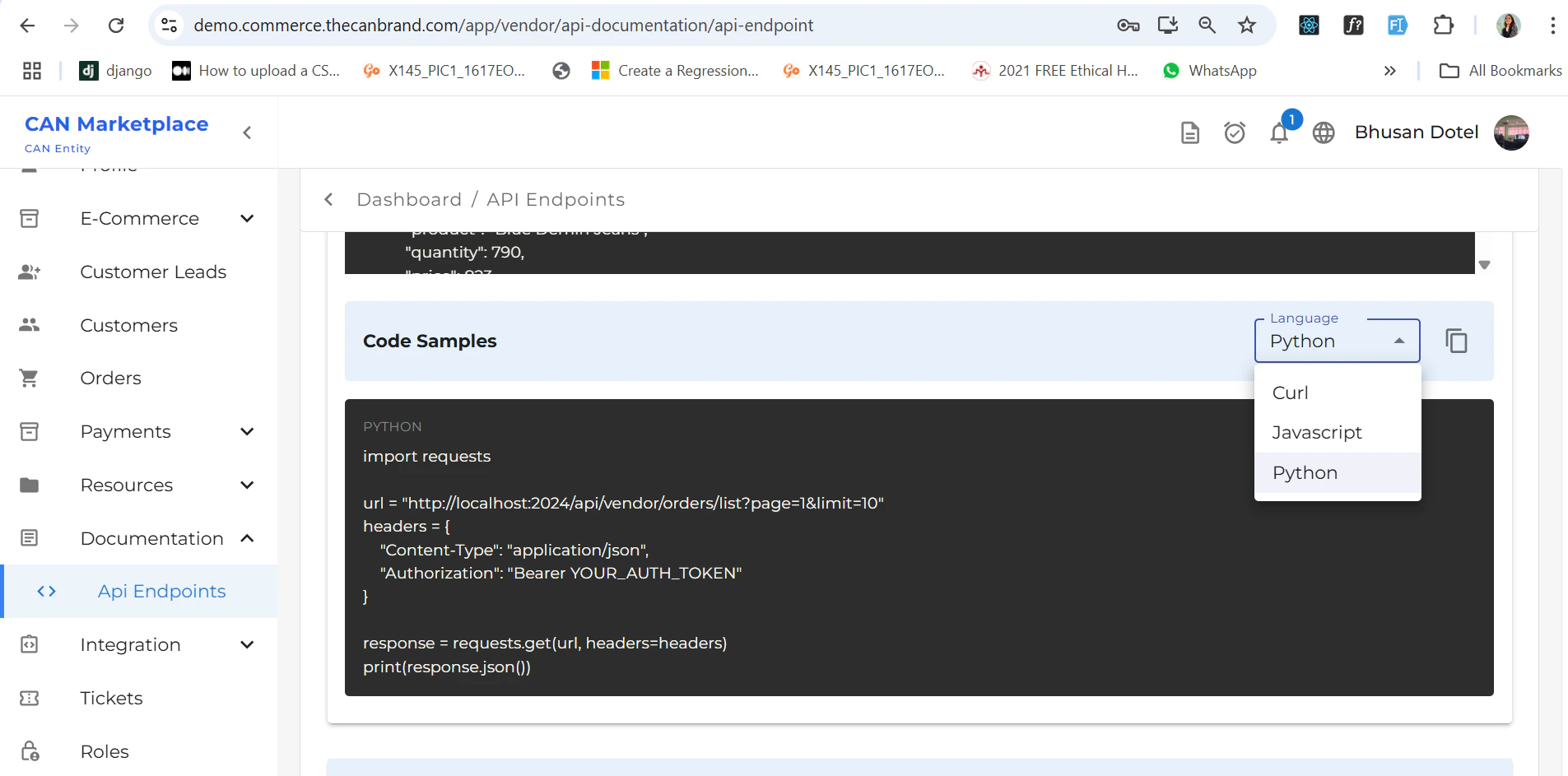
When you scroll down a bit, you’ll see the code sample section.- On the right side, there is a dropdown to switch between different programming languages:
cURLJavaScriptPython
Error Reference Cards
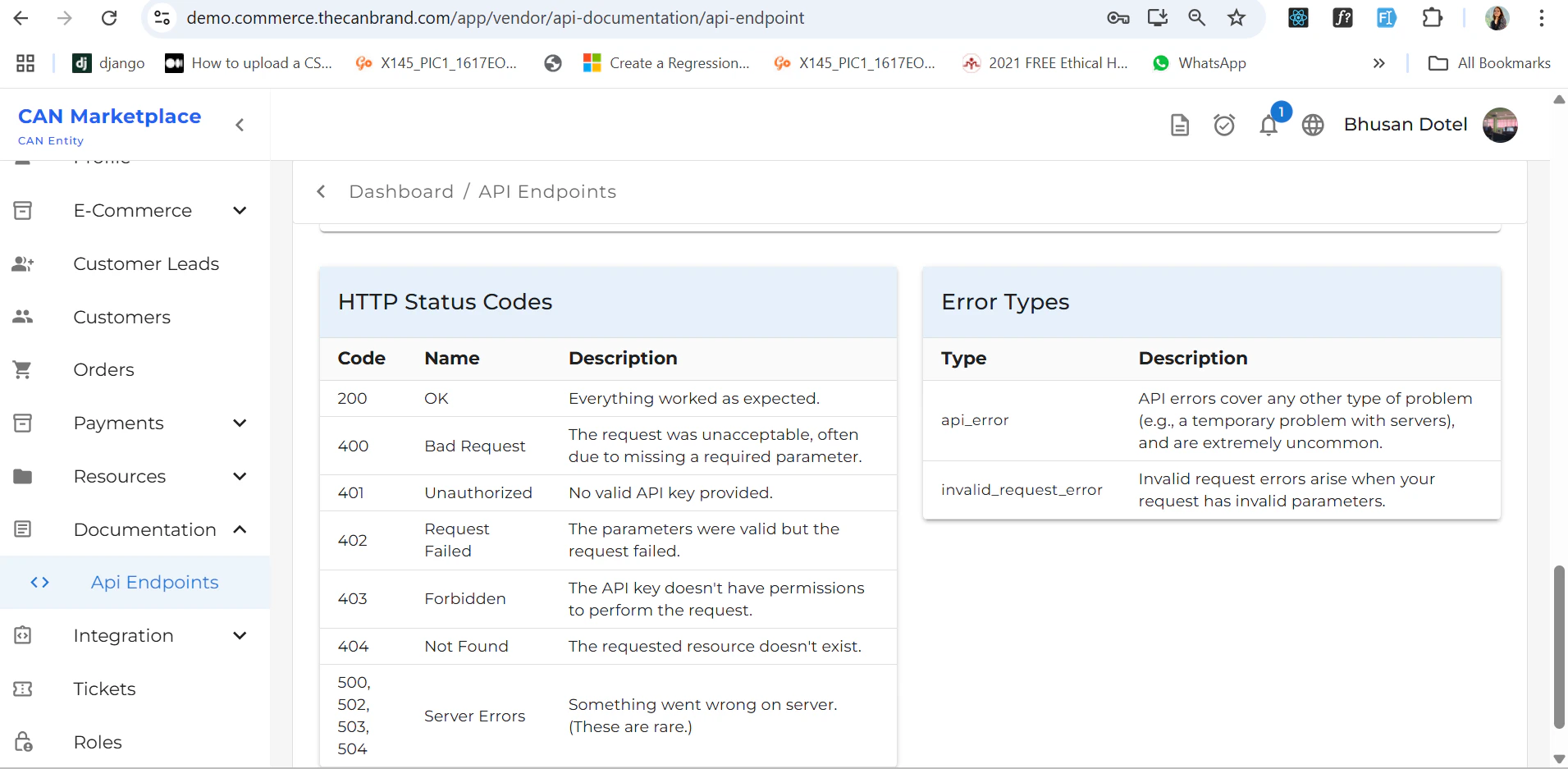
There are two error reference cards displayed:-
If there’s an error in your website, these cards help you:
- Identify the error type.
- Understand the error code.
- Get a brief description of the issue.
- Use these references to debug and resolve errors efficiently based on the information provided.
Quick Tips
- Make sure to match the module and method accurately before copying the sample code.
- Use the language selector to view implementation in your preferred coding language.
- Refer to the error cards to identify and fix common API issues.