Key Features
- Multiple Templates
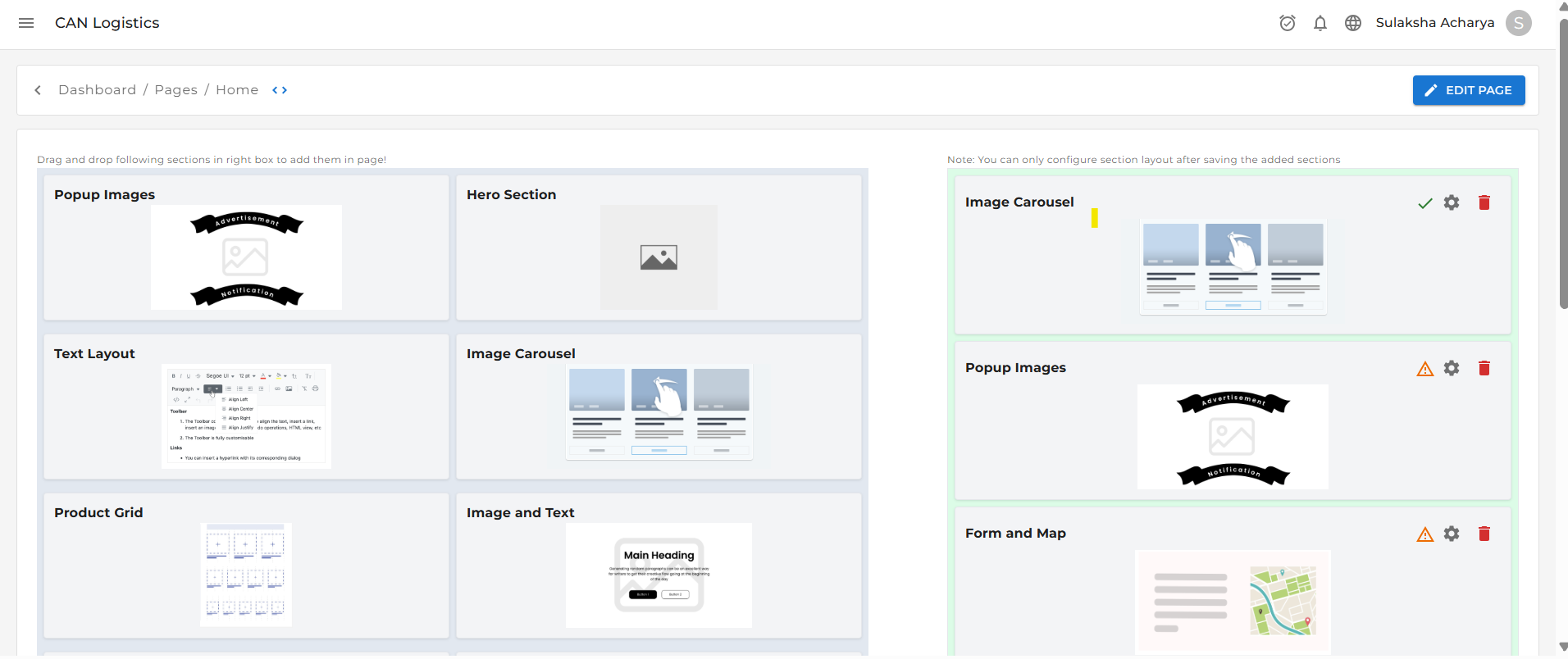
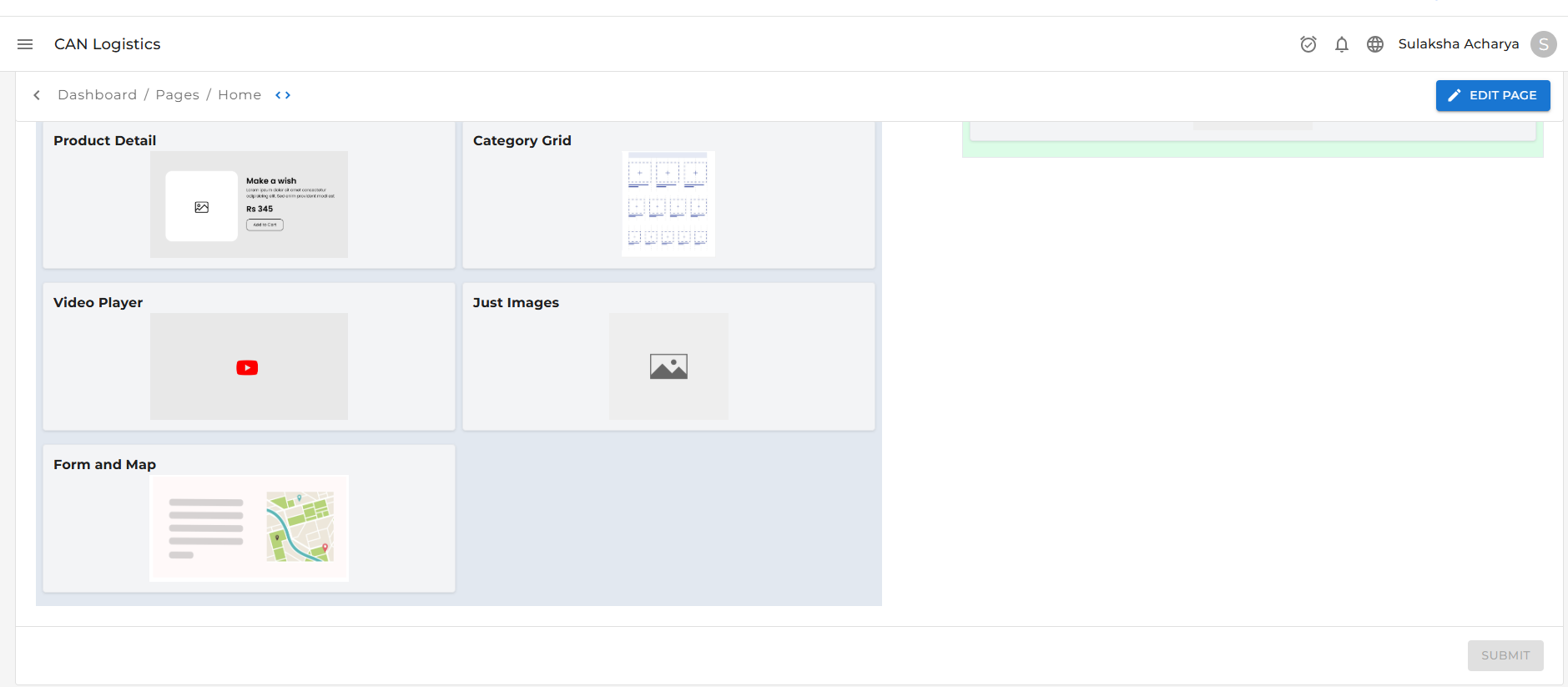
- Drag-and-Drop Page Sections
- Flexible Layout Control
- Page Submit & Configure Flow
- Product, Category & Order Management
- Coupon System with Downloadable Cards
How It Works
1️Submit First
At the bottom of every page, you’ll find a Submit button.Why Submit?
Clicking Submit saves your initial page setup and selected template.
2️ Configure the Page
Once submitted, a ⚙️ Configure icon appears. Clicking Configure allows you to:- Edit page sections
- Rearrange layout
- Customize content using drag-and-drop
Templates & Layout
Every page offers a variety of templates:- Product-Focused
- Image-Heavy
- Minimalist, and more…
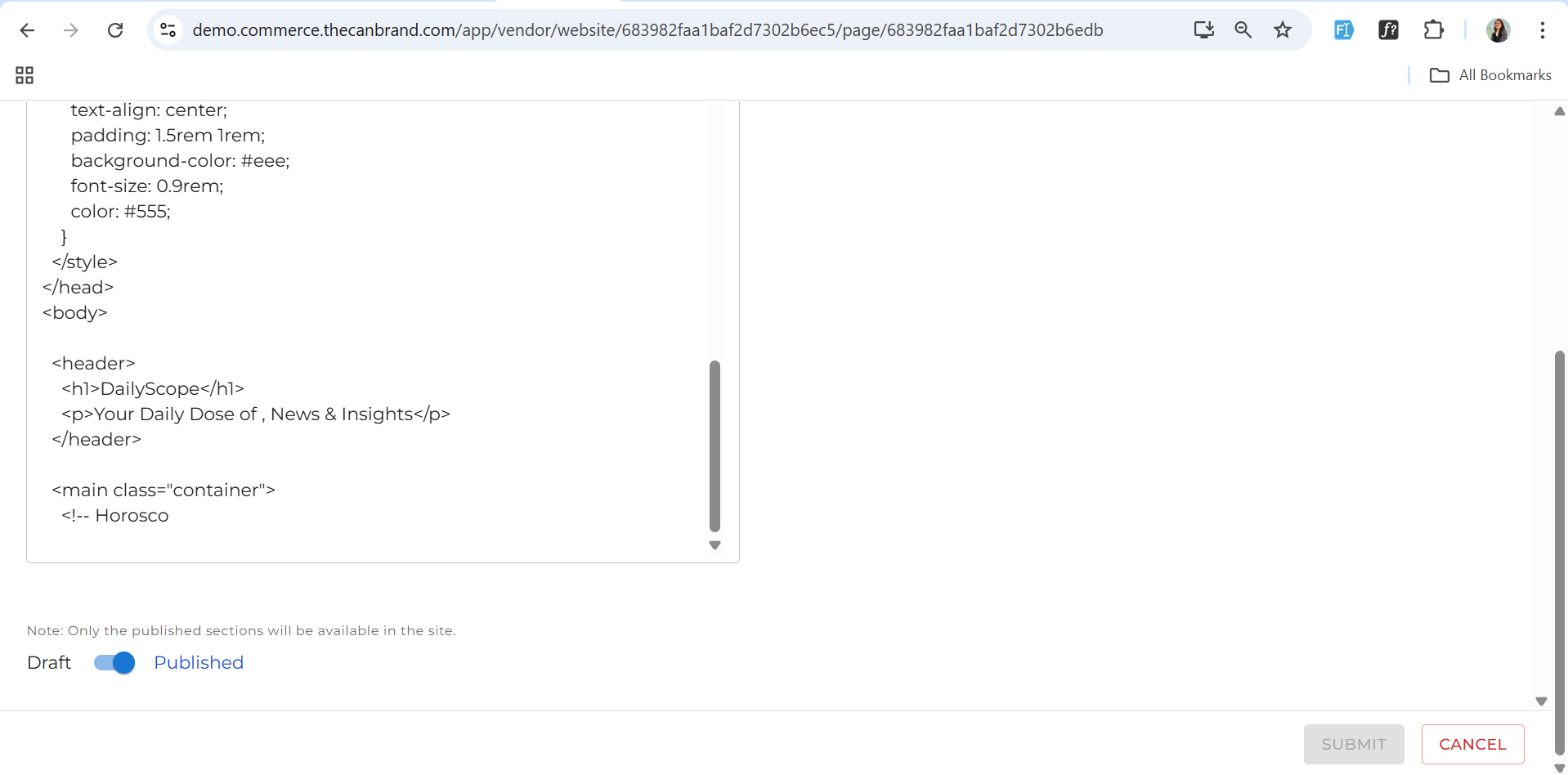
Customer Code
Customer code can be added using a custom code template where you insert HTML or CSS, and it will be displayed directly on your website.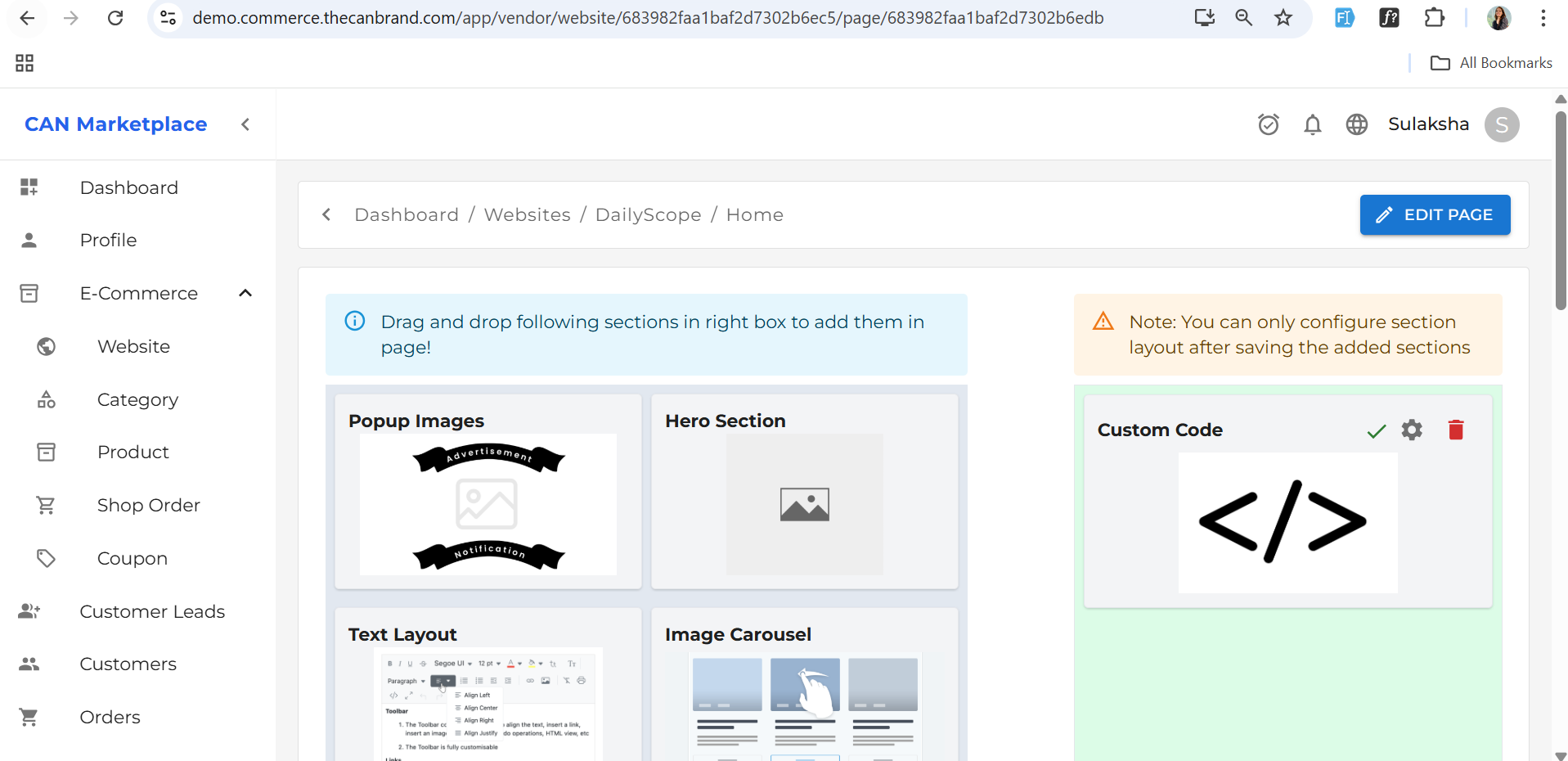
Drag-and-Drop Sections
- Rearrange sections as you like
- Add components like:
- Banners
- Product Lists
- Testimonials
- Image Sliders
Categories
Group your services or products into categories to enhance discoverability. Example Categories:- Transportation
- Warehousing
- Express Delivery
Product Management
Add logistics services with detailed info:- Product Name
- Description
- Pricing
- Category
- Images
- Variant Options (if applicable)
Shop Order System
Manage all customer orders seamlessly.Fields Included:
- Customer Name
- Full Address
- Payment Method
- Applied Coupon
- Delivery Note
Add Multiple Products Per Order:
Each order can include:- Product Name
- Quantity
- Price
View product-level details in the Product Detail Screen
Additional Features:
- Review / Edit / Remove products before finalizing
- Delivery & Payment Status visibility
- Notes Section for internal messages
- History Section to track who placed the order
Coupon Management
Offer discounts to customers with flexible coupon options.Create Coupons with:
- Type: Percentage (%) or Flat Amount
- Validity Period / Expiry Date
Coupon Details Section:
- View all coupon metadata
- Download Coupon Card for print or sharing
Pro Tip: Save changes often by hitting the Submit button at key stages.
Need this as a React page, HTML template, or Markdown doc? Just let me know how you’d like to use it!