Domain
- Connect or purchase a custom domain for your store.
- Example:
www.vendor.com
Website
Create an attractive e-commerce website.Customize layout, banners, and content to reflect your brand’s identity.
Store Detail
Website Appearance
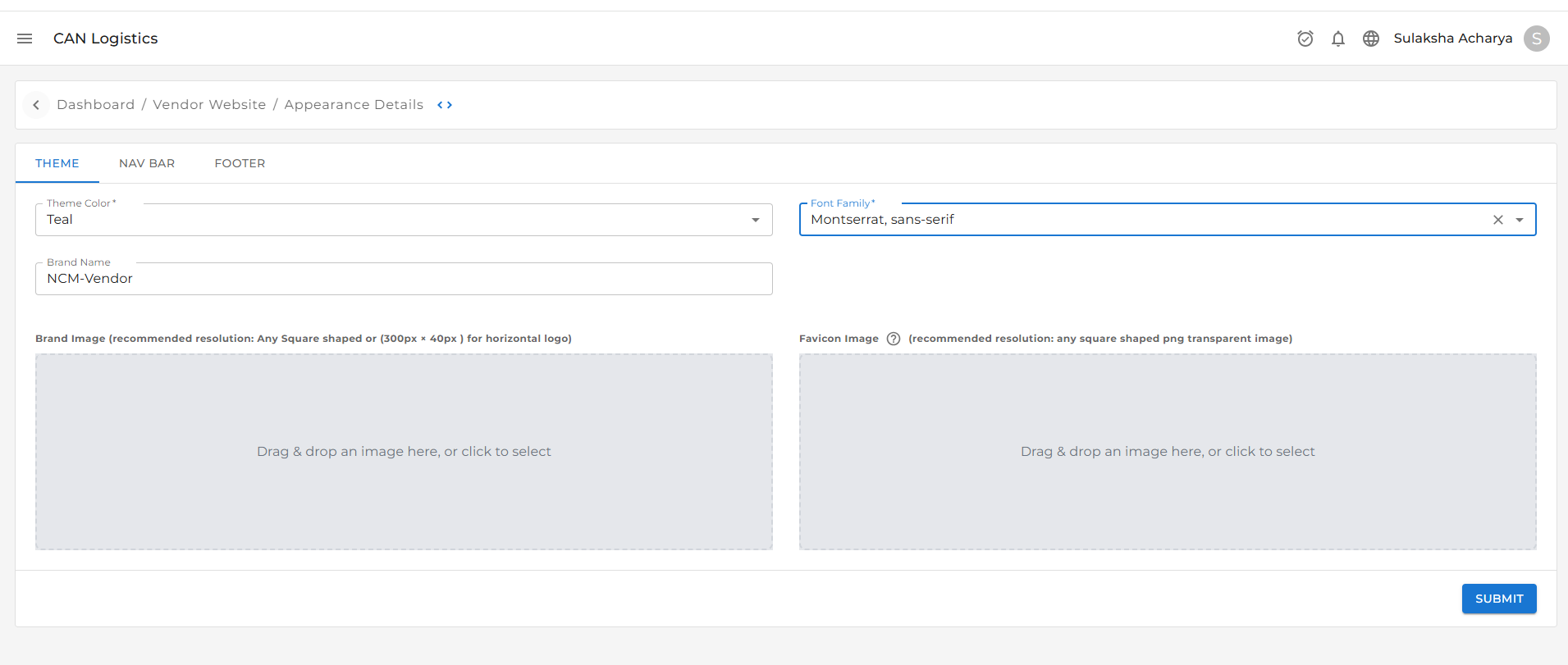
The Theme Navbar section allows you to customize the visual identity of your website. You can update the following:-
Theme Color
Change the primary color scheme of your website to match your brand’s personality and style. -
Font Text
Choose the typography for your website.
Customize the font style, size, and weight for a consistent look and feel. -
Brand Name
Set or update the name of your business or store.
This will appear in the header and other branded sections across the website. -
Brand Image
Upload your brand logo.
The logo will be displayed in prominent areas like the website header and footer.
Click the image section to upload or change the logo anytime. -
Favicon Image
The favicon is a small icon that appears in the browser tab, bookmarks, and browser address bar.
It visually represents your brand when users open your website.The favicon is a small icon that appears in the browser tab, bookmarks, and browser address bar.