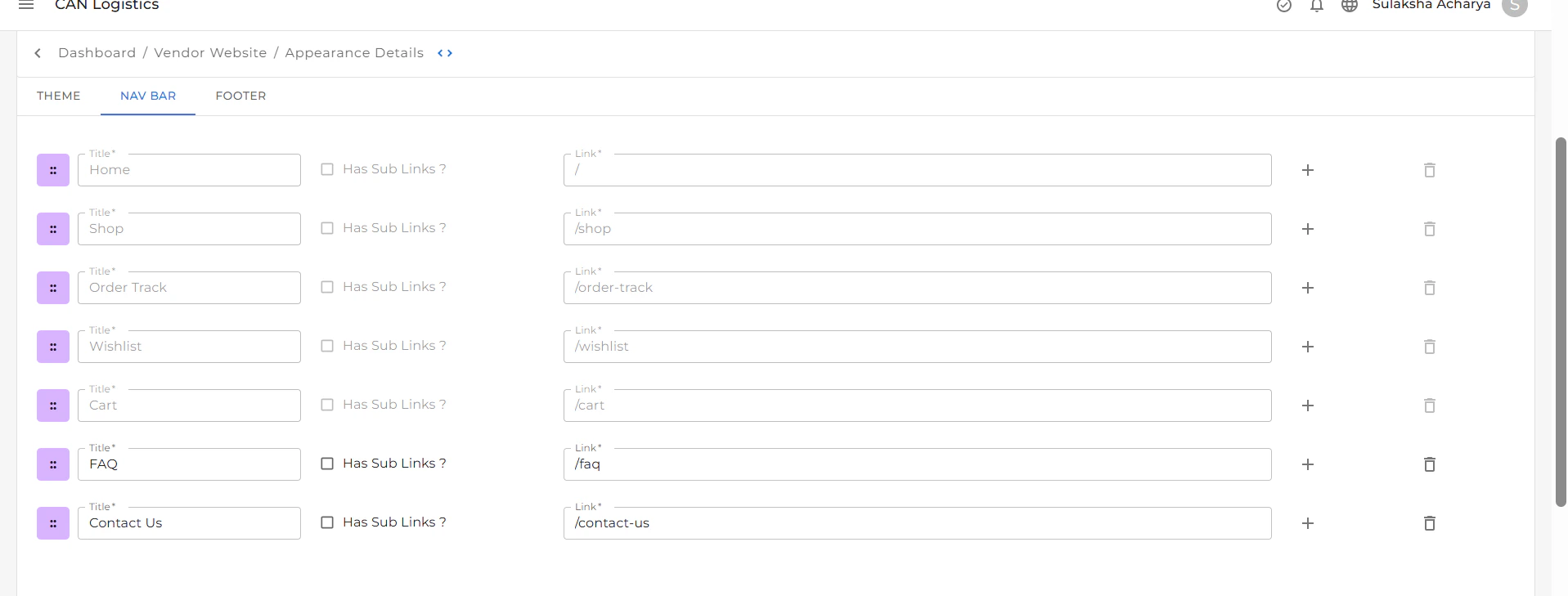
Features of the Navbar
Navigation Links
The Navbar includes links to essential pages such as:- Home
- Shop
- Order Track
- Wishlist
- Cart
These links are added by default.
Custom Pages
You can personalize the Navbar by adding or removing pages:- Click the (+) plus icon to add custom pages.
- Click the delete icon next to a page name to remove it.
Navbar Text
You can customize the text of each Navbar item to reflect your content or preferred naming style.Color Customization
Adjust the visual style of your Navbar:- Change the background color of the Navbar.
- Update the text color to align with your website’s theme and brand identity.