Coupon
Adding a Coupon
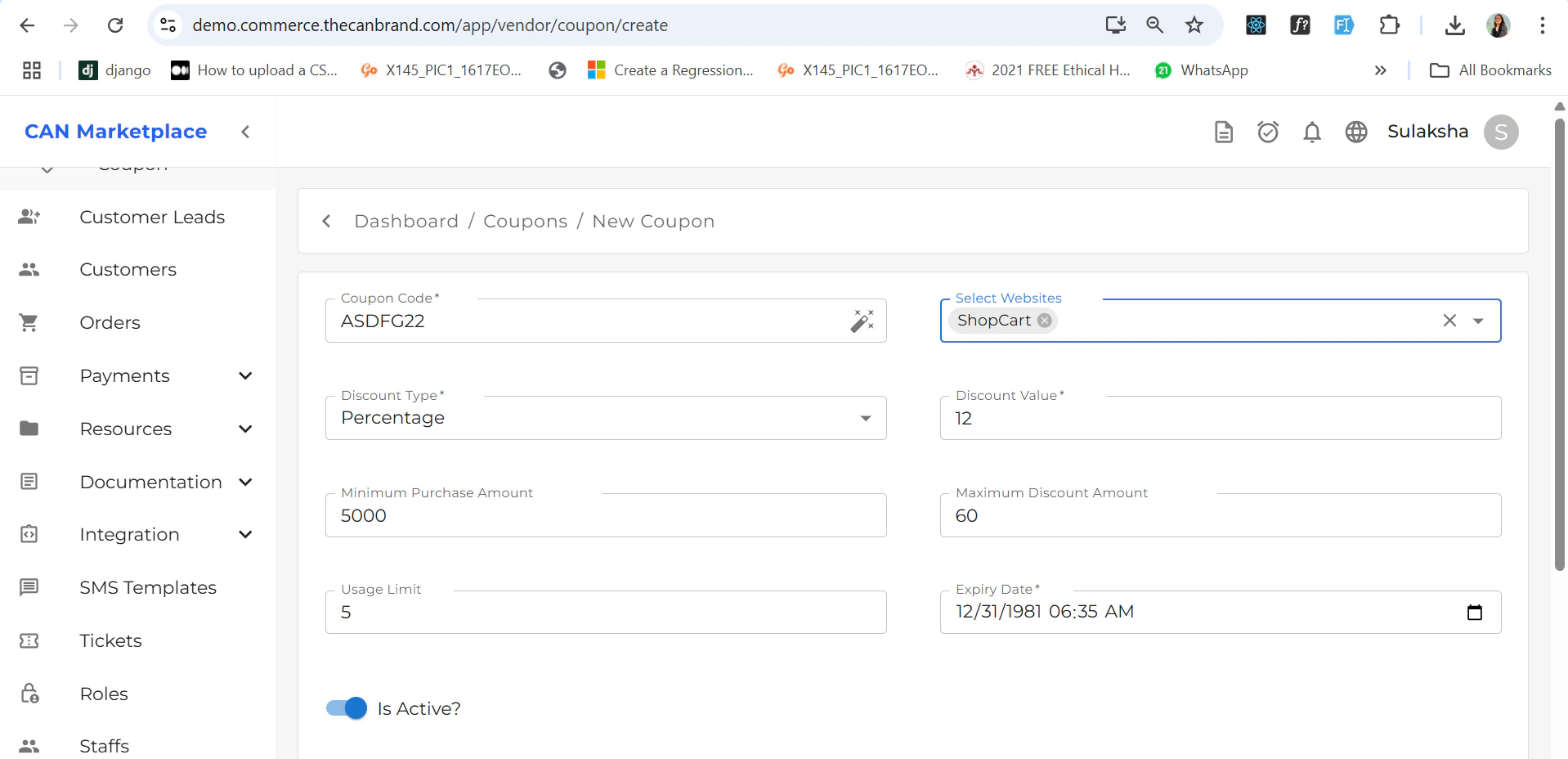
You can add a coupon by filling in all the required details such as:- Coupon code
- Discount type and value
- Validity dates
- Usage limits (if any)
- Eligibility conditions
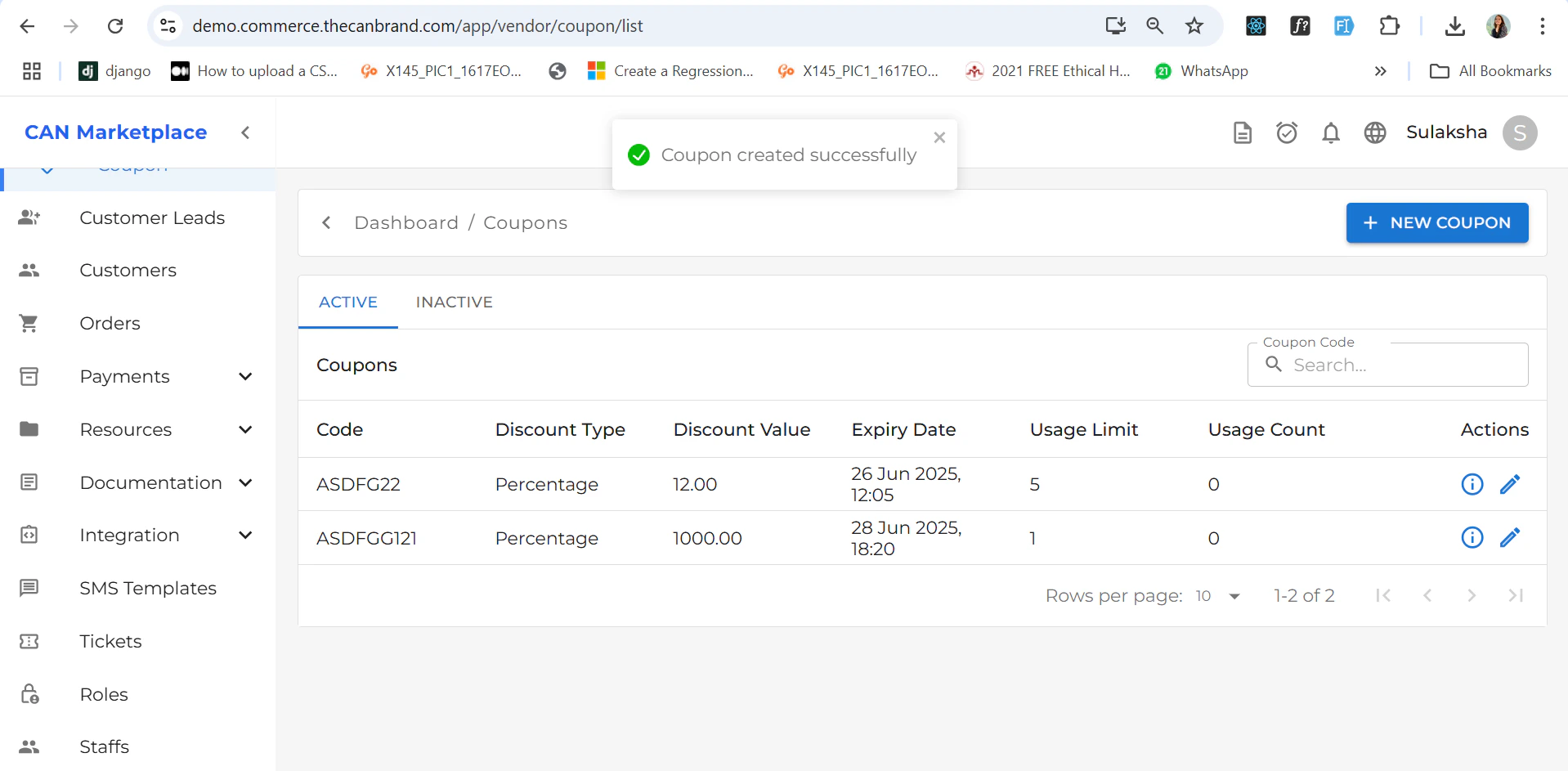
- It will appear in the Coupon List screen.
- If the coupon is eligible, it will automatically show up during the checkout process while purchasing a product.
Coupon Detail
The Coupon Detail page displays all relevant information about a specific coupon with Voucher you can download the voucher if needed.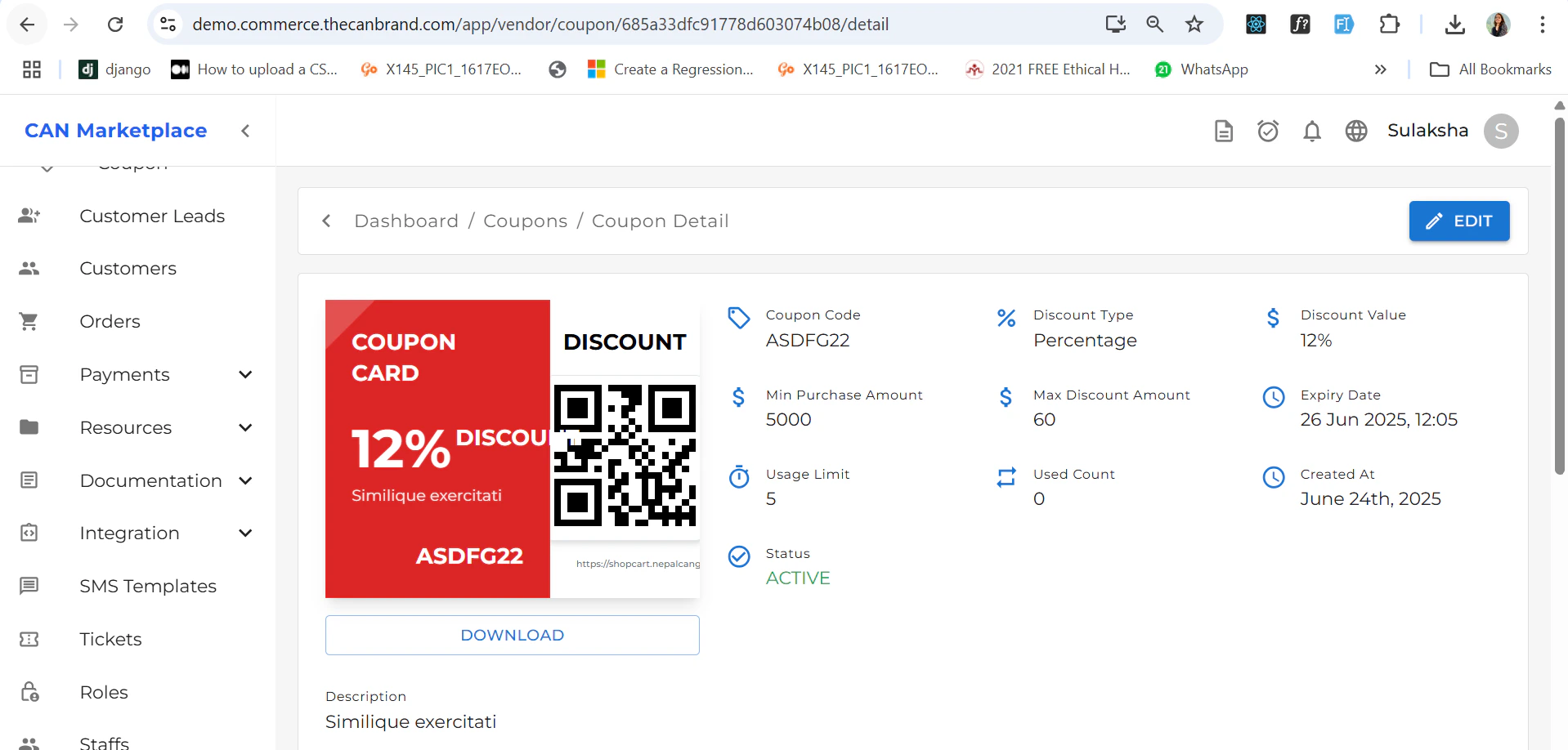
Applying a Coupon
During checkout:- If the coupon is eligible, you’ll see a field to enter the coupon code.
- Enter the code and apply it to receive the discount.