Registration Form
Fill out the registration form with the following details:- Name
- Phone Number
- Account
- Entity
- Password
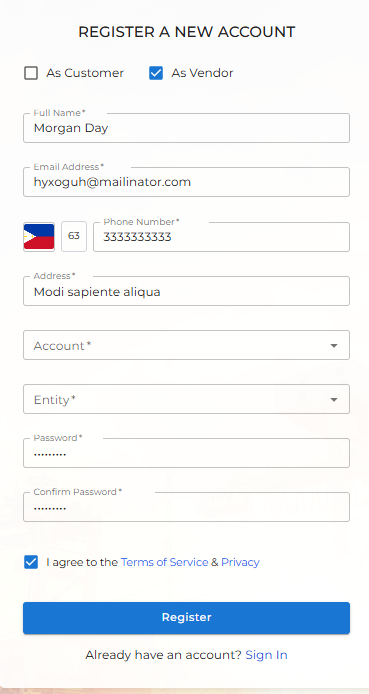
If you already have an account, you can click the Sign In button below the form to log into your account.
Email Verification
After you click Register, you will be navigated to an email verification page.- An OTP (One-Time Password) will be sent to your registered email address.
- Enter the OTP into the input field to verify your email address.
- If you didn’t receive the OTP, click the Resend OTP button to request a new one.